


Sticky Note
A simple effect that can look great and will take only minutes to make!

Suitable for any Logo!
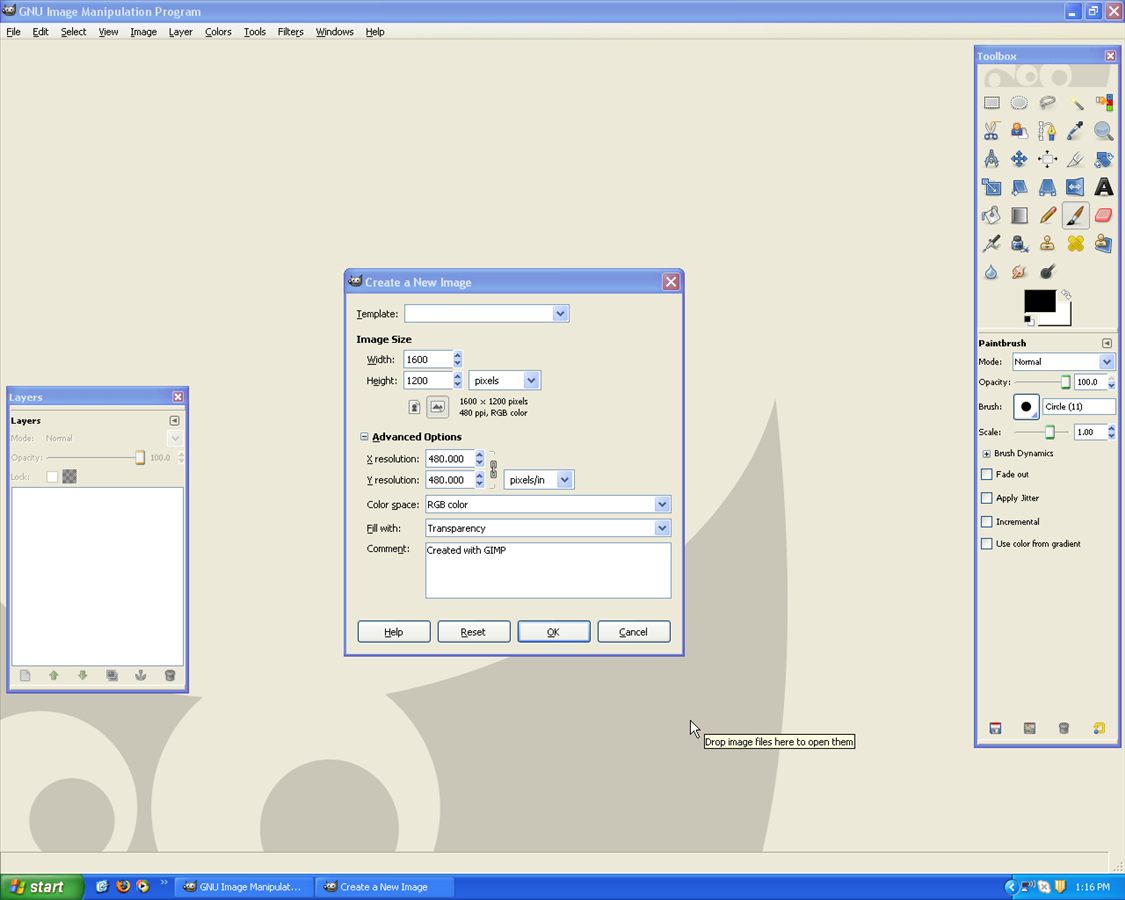
Begin by opening up Gimp –> make a 1600 x 1200 with 300 DPI page and transparency.
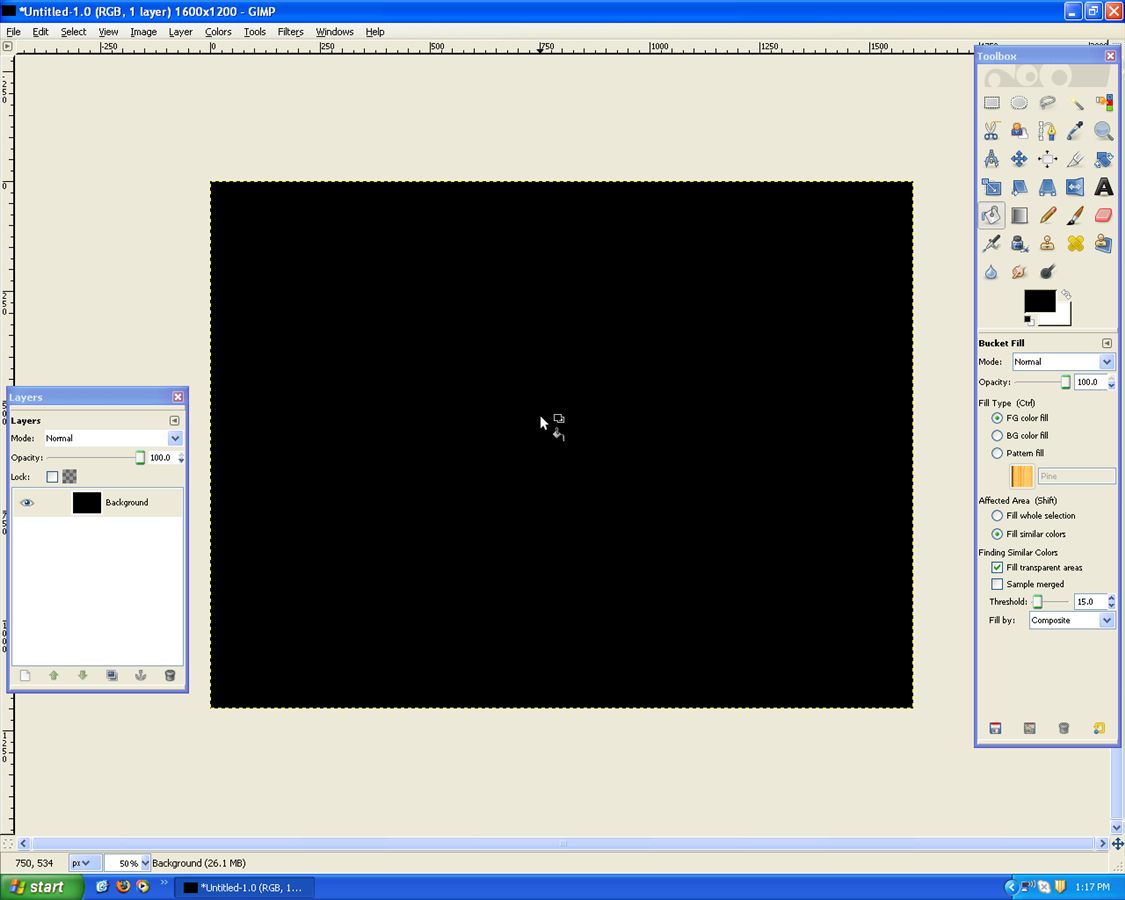
Now grab the paint bucket and fill it black:
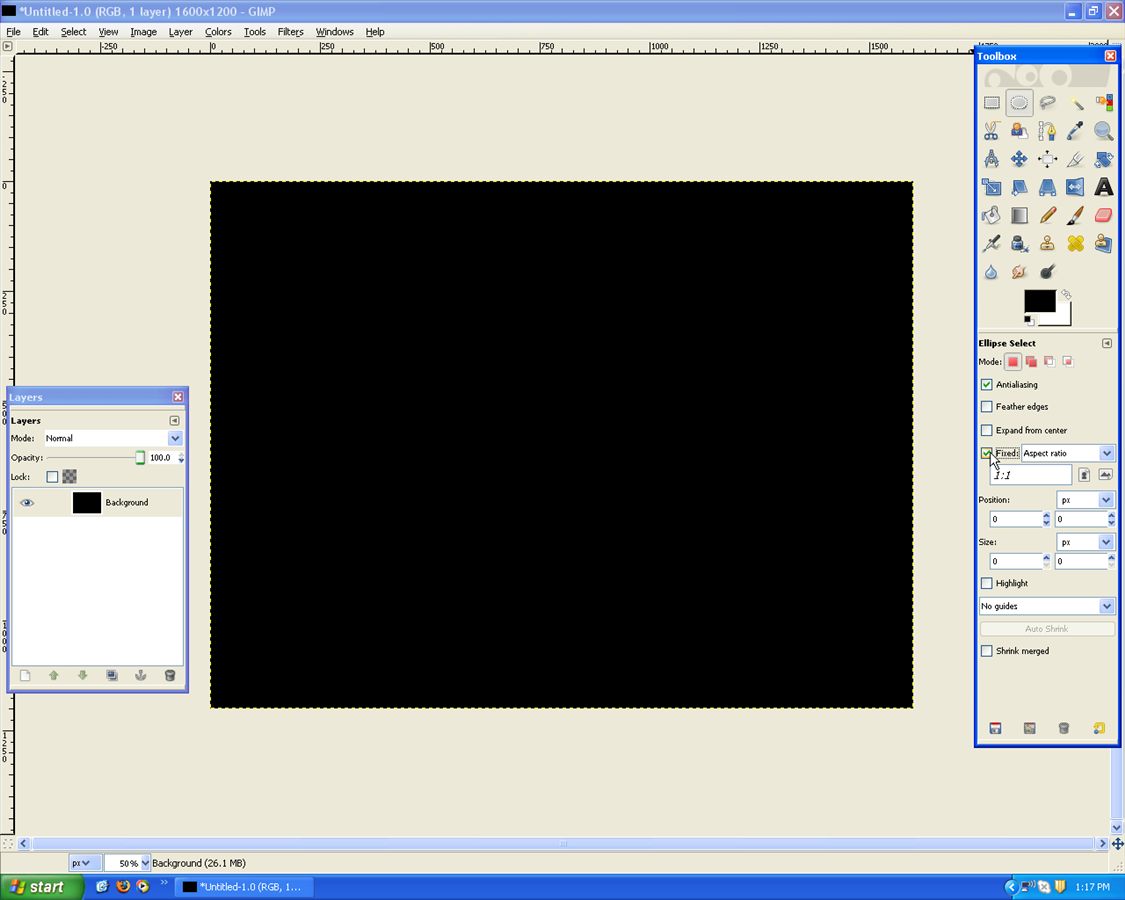
Use the Eclipse Tool with “Fixed Aspect Ratio”
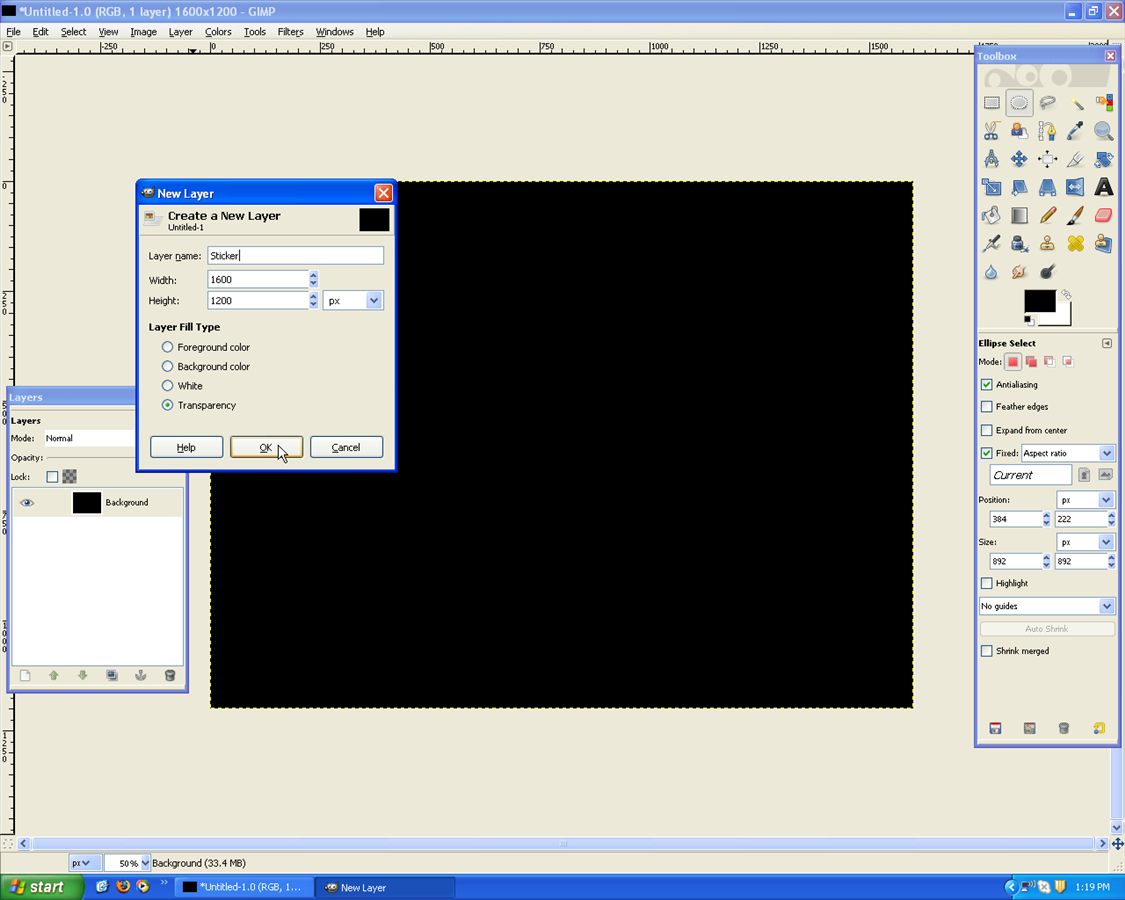
Then grab the Create a new Layer “Circle”
Then draw your circle like below:
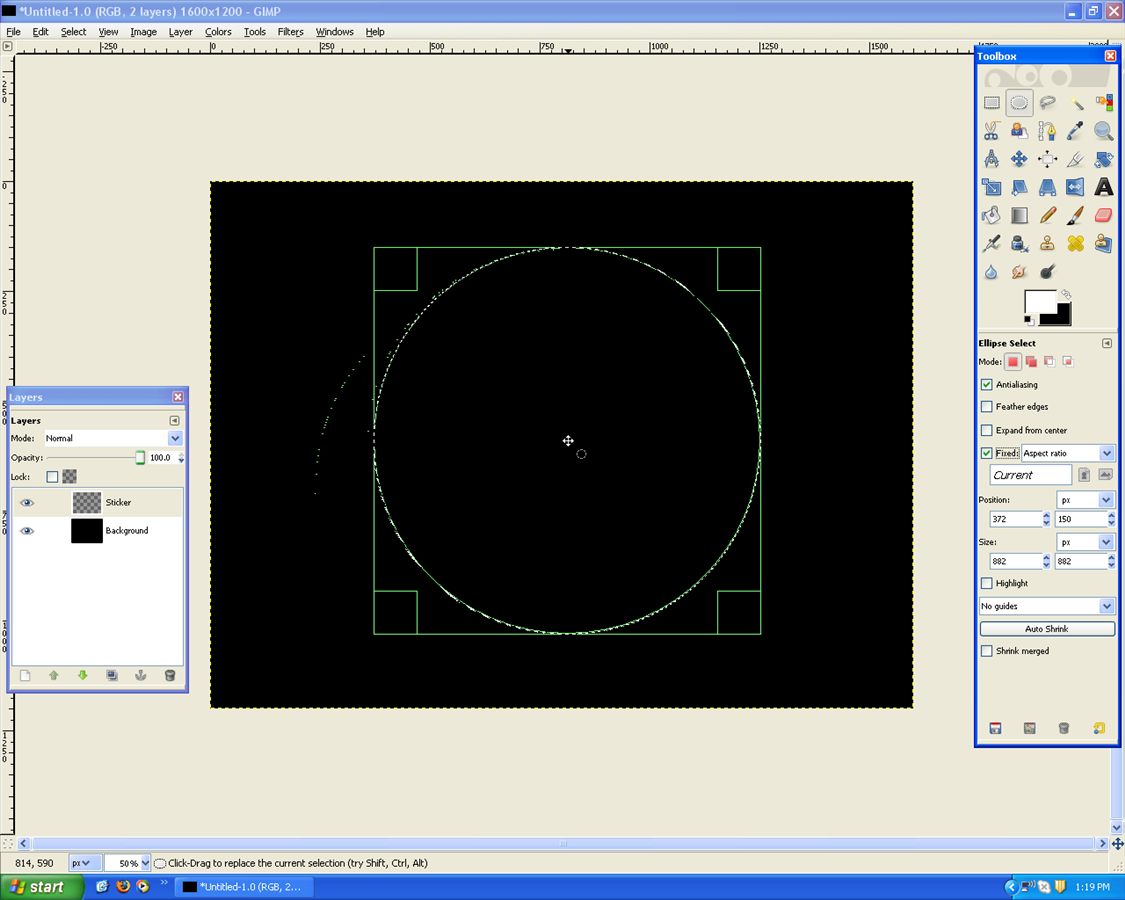
Use the Paint Bucket With a Gray/White
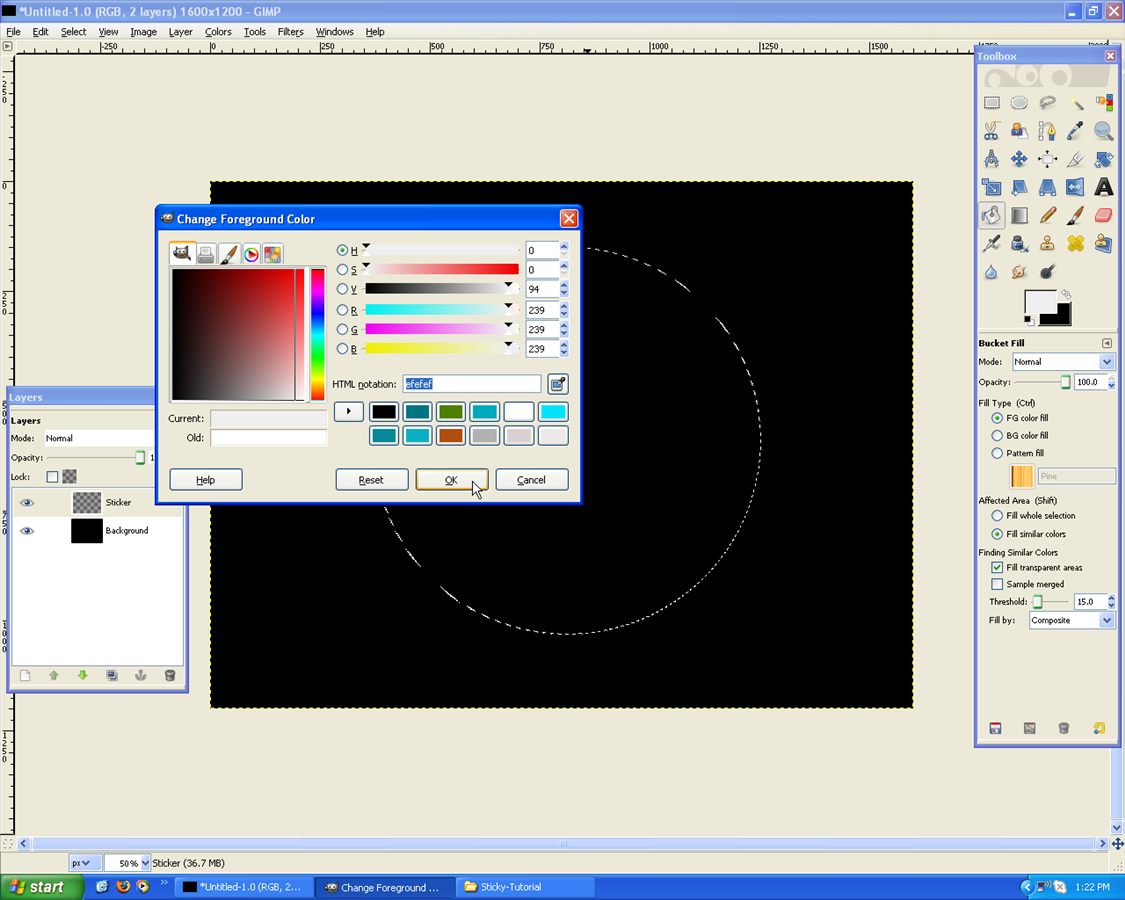
Fill the Circle:
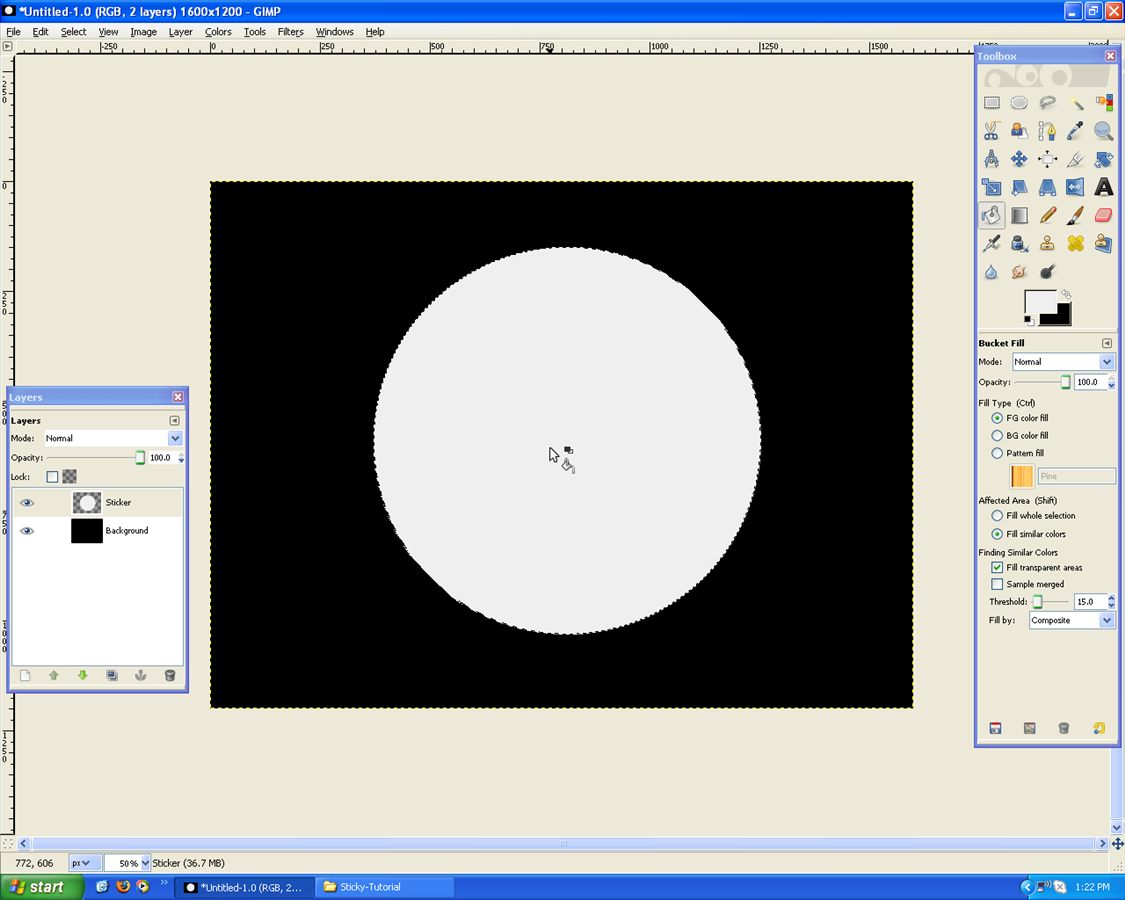
Now go, Select –> Shrink
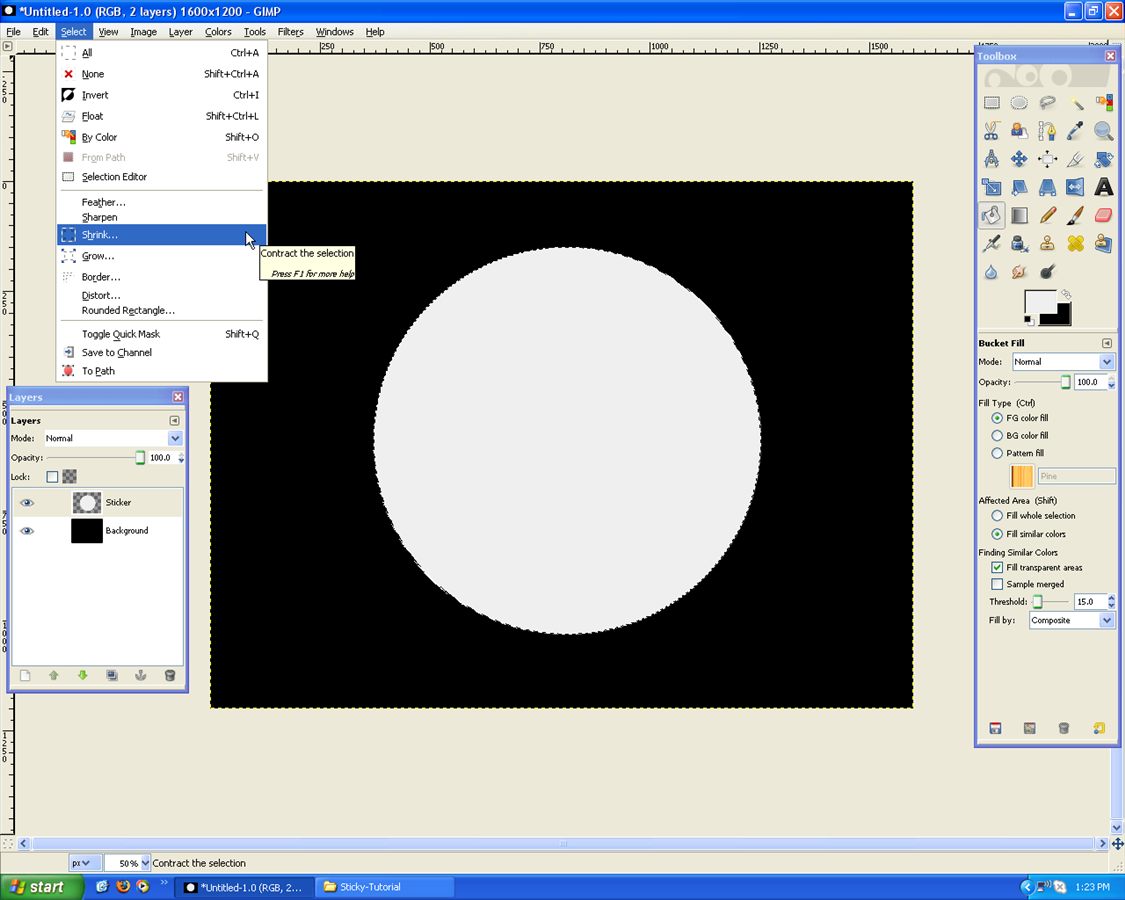
Around 50 pixels will do!
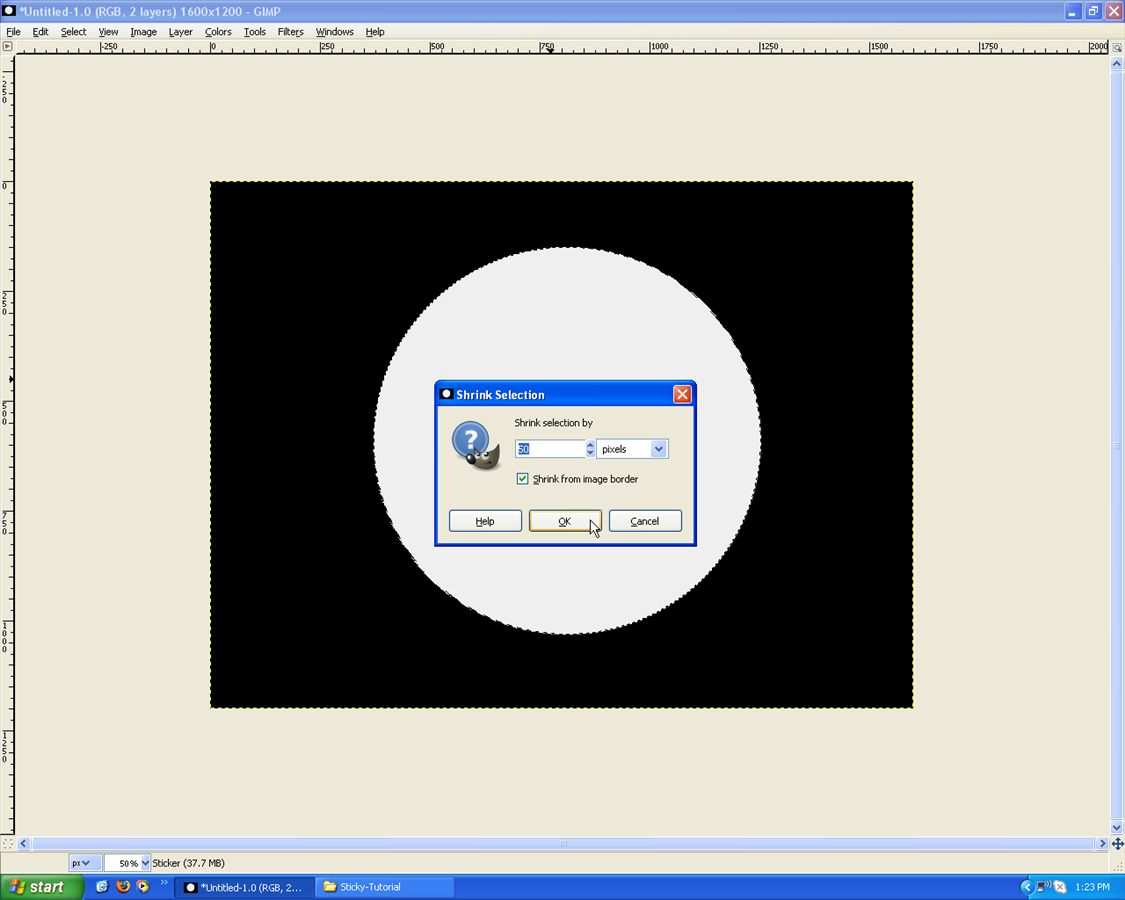
Fill that with a darkish Blue:
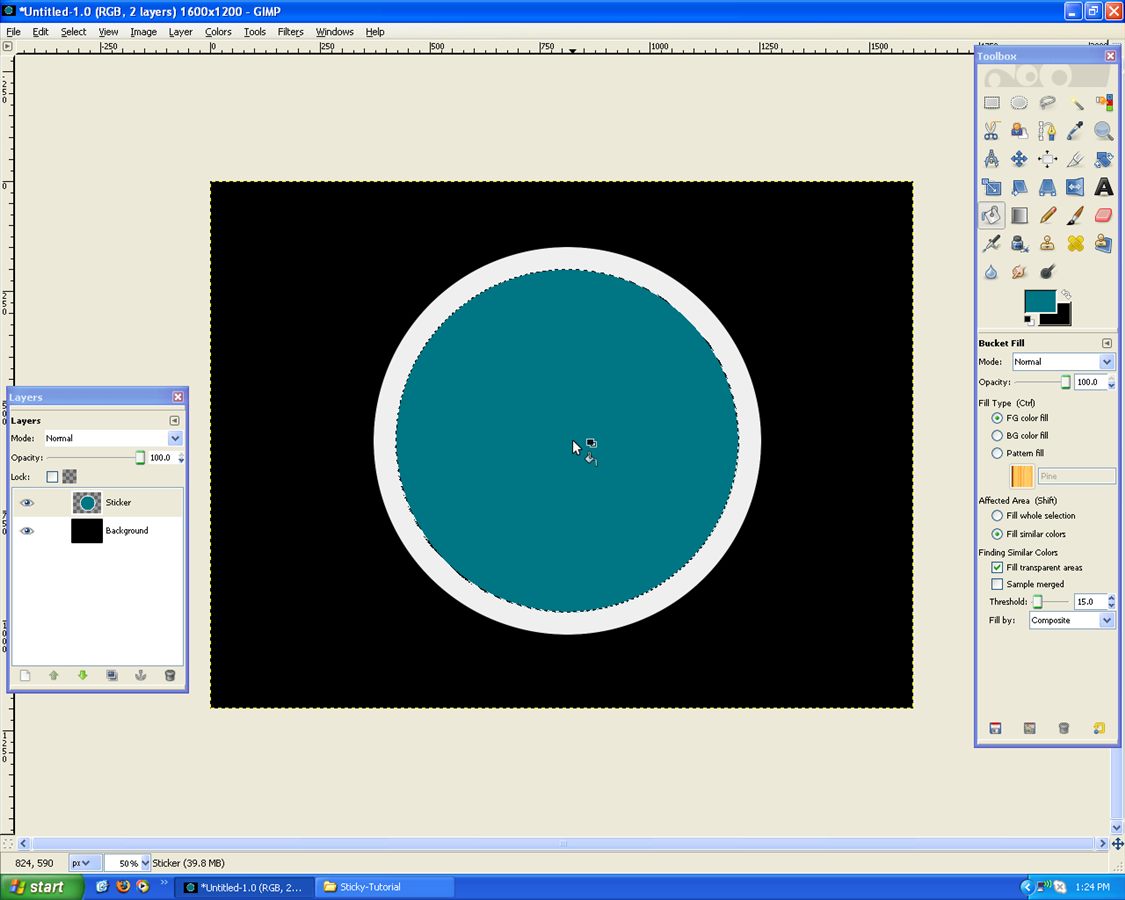
Again go, Select –> Shrink
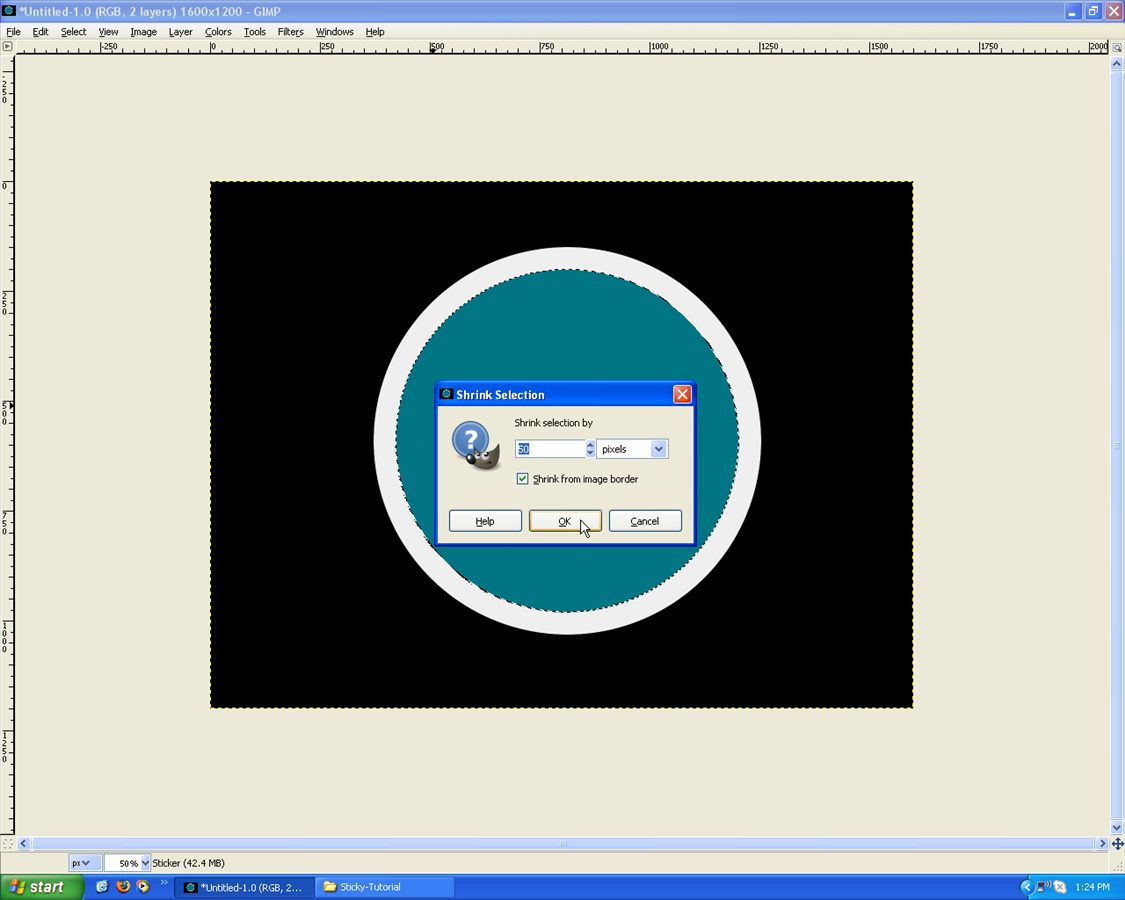
And Fill that White/Gray again:
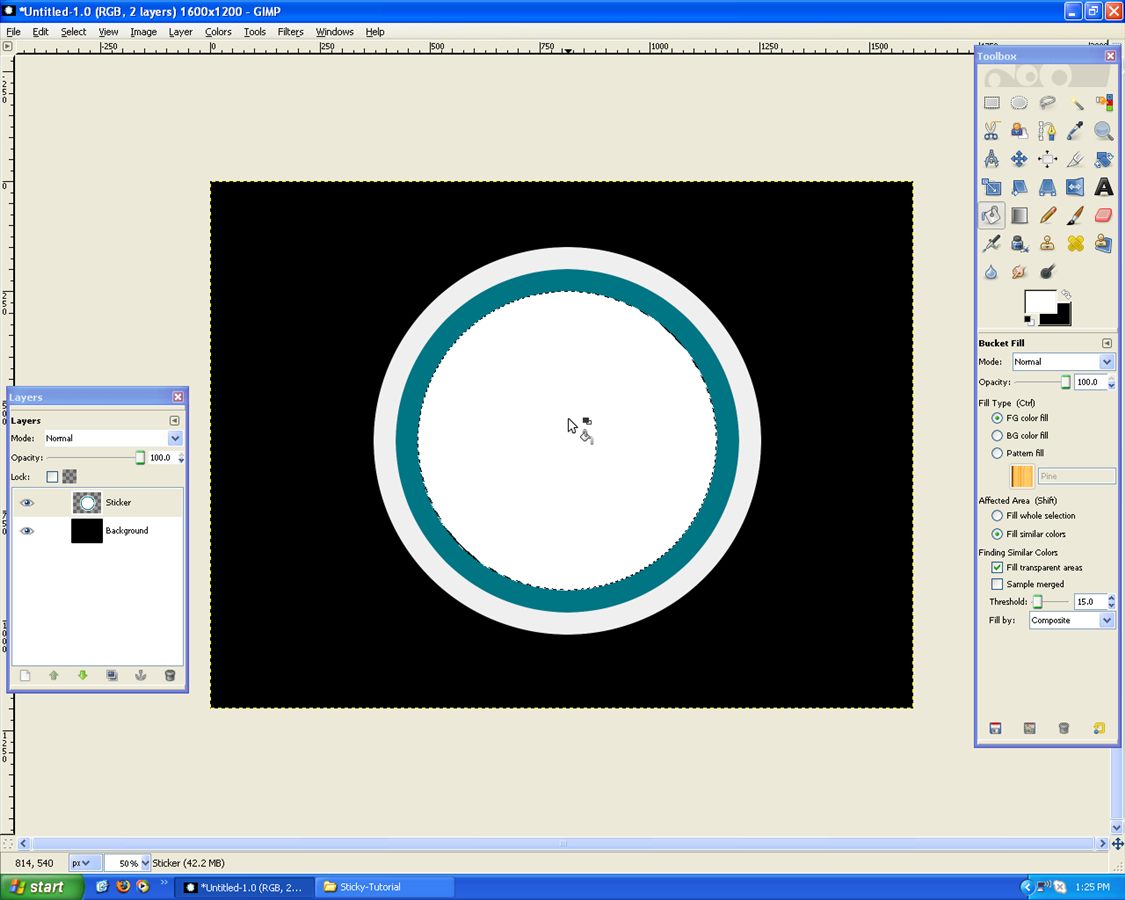
Now add your text! Keep the same colour as the ring
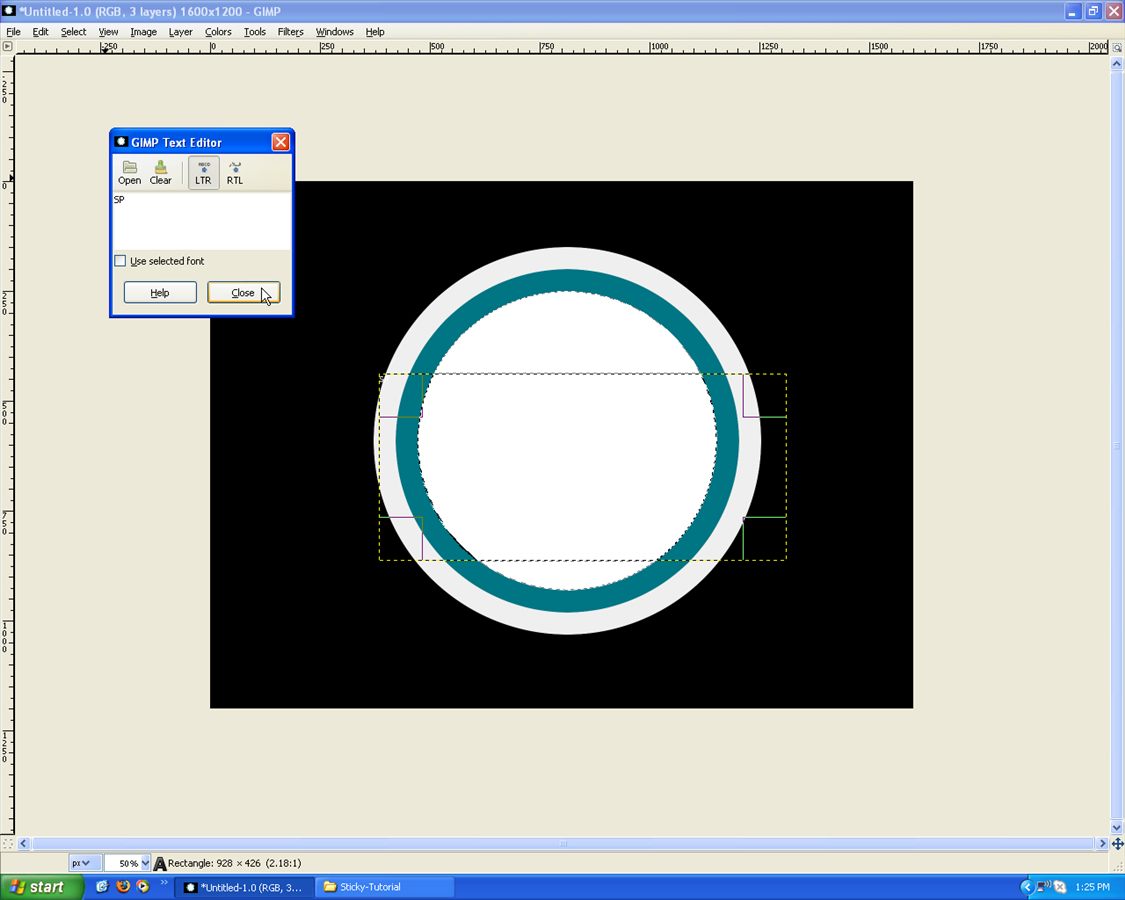
Choose I used Bauhaus 93. Increase the size until blending in with the ring!
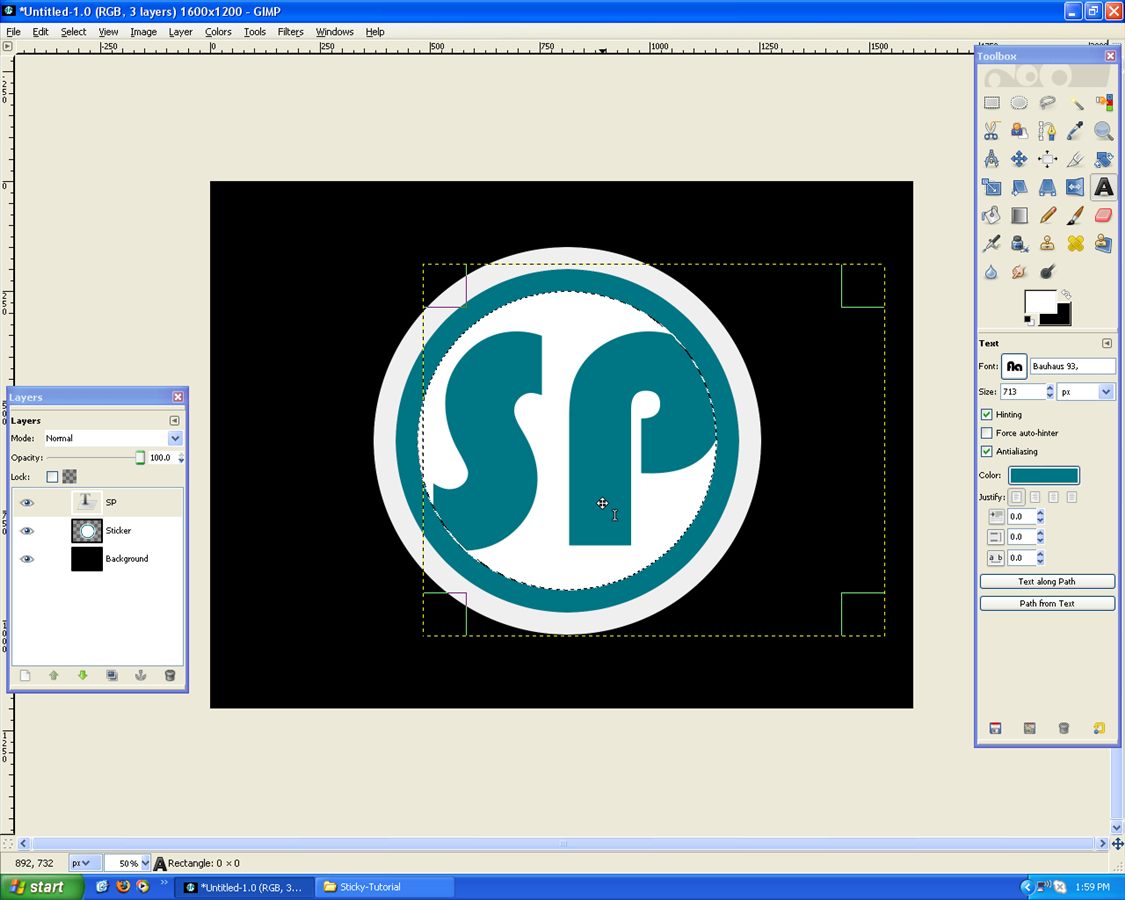
Like below:
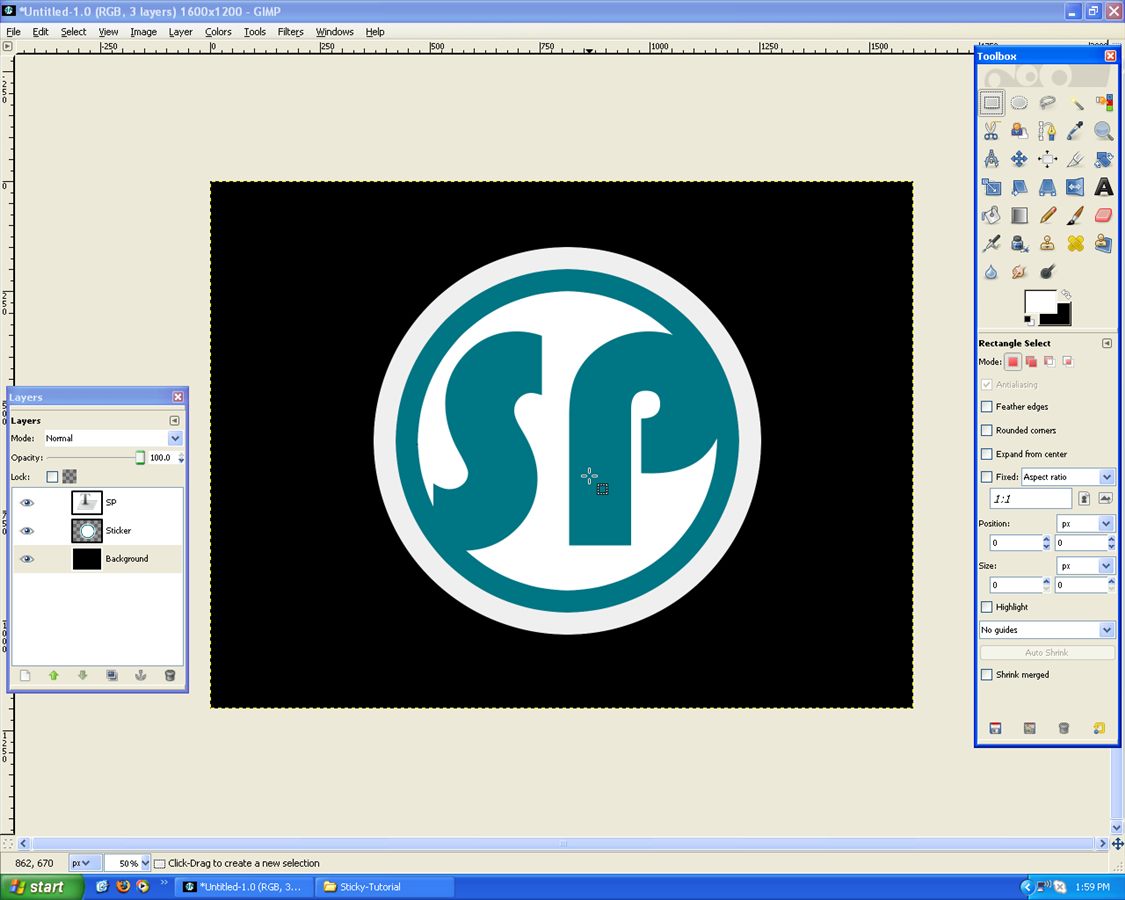
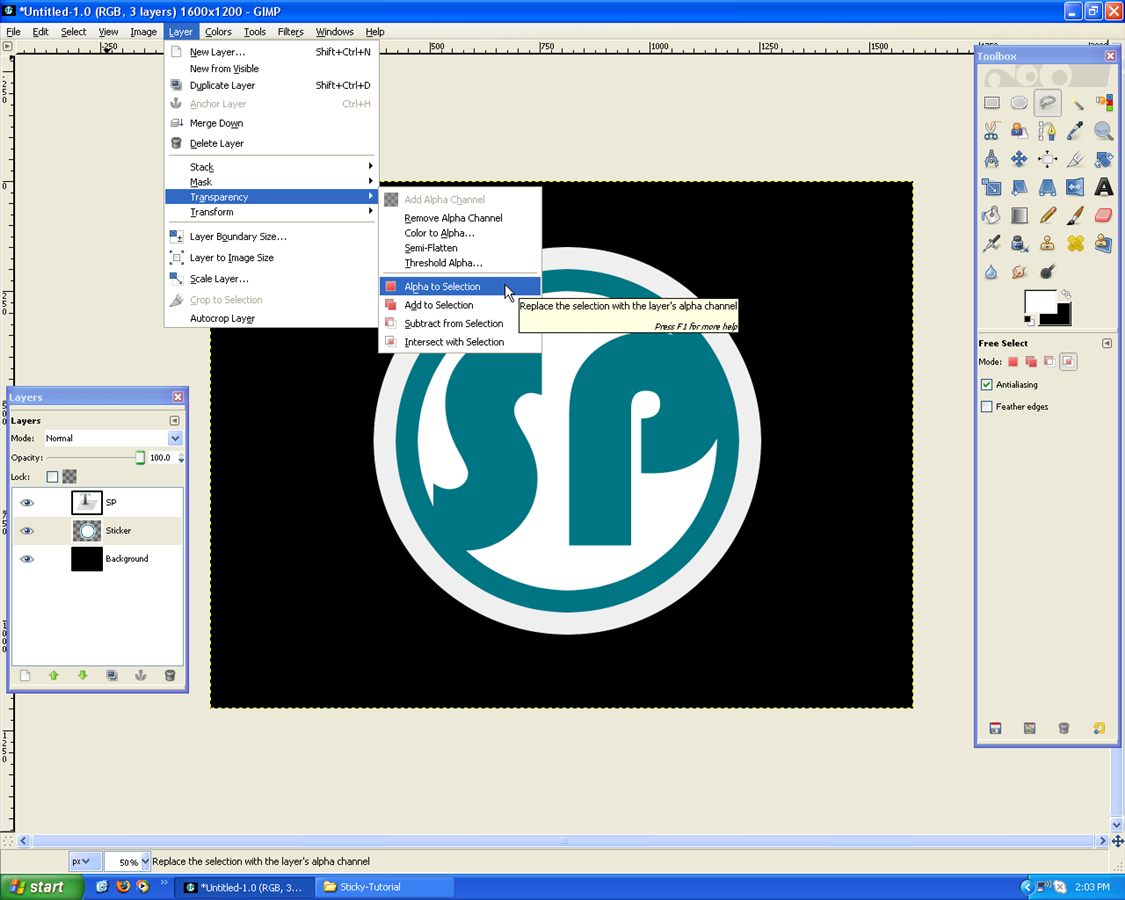
Now on the “Circle” Layer go, Layer –> Transparency –> Alpha to Selection:
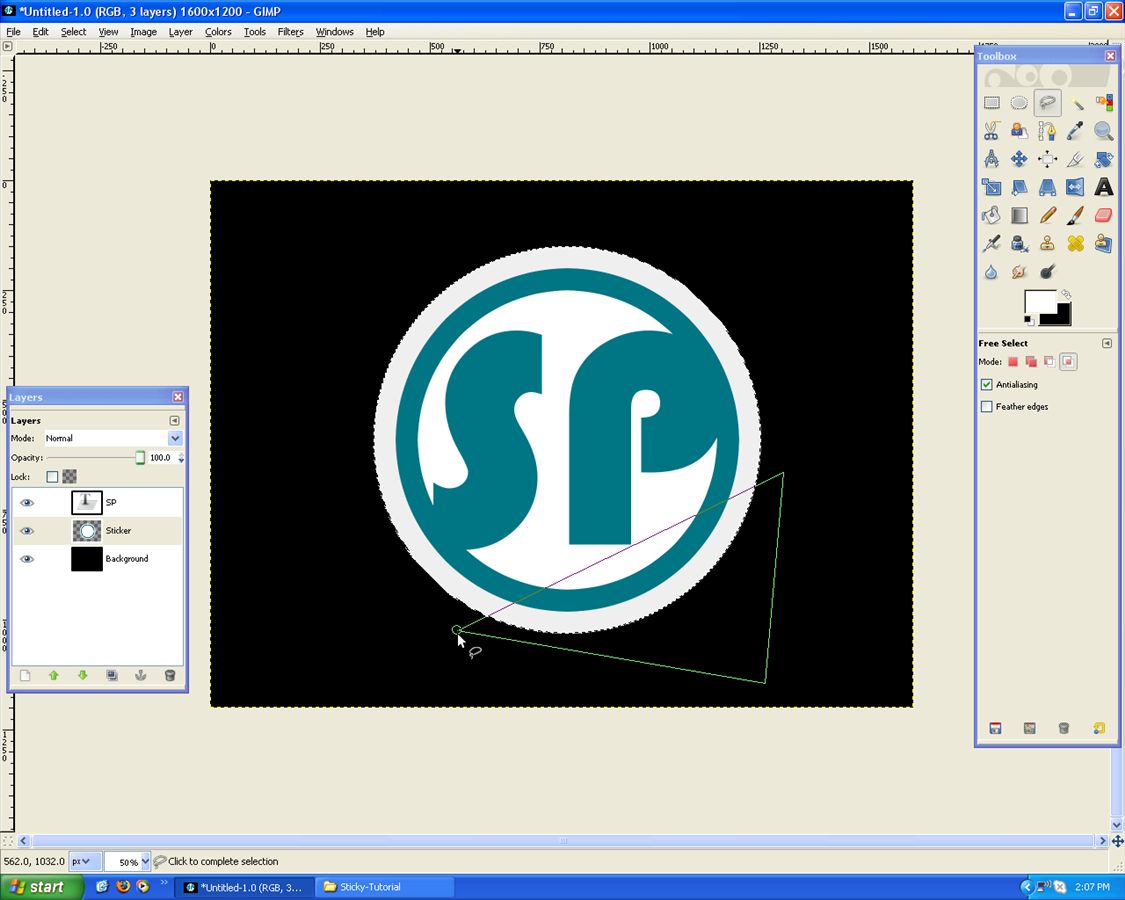
Once Selected use the “Free Select Tool” and set to “Intersect Selection”!
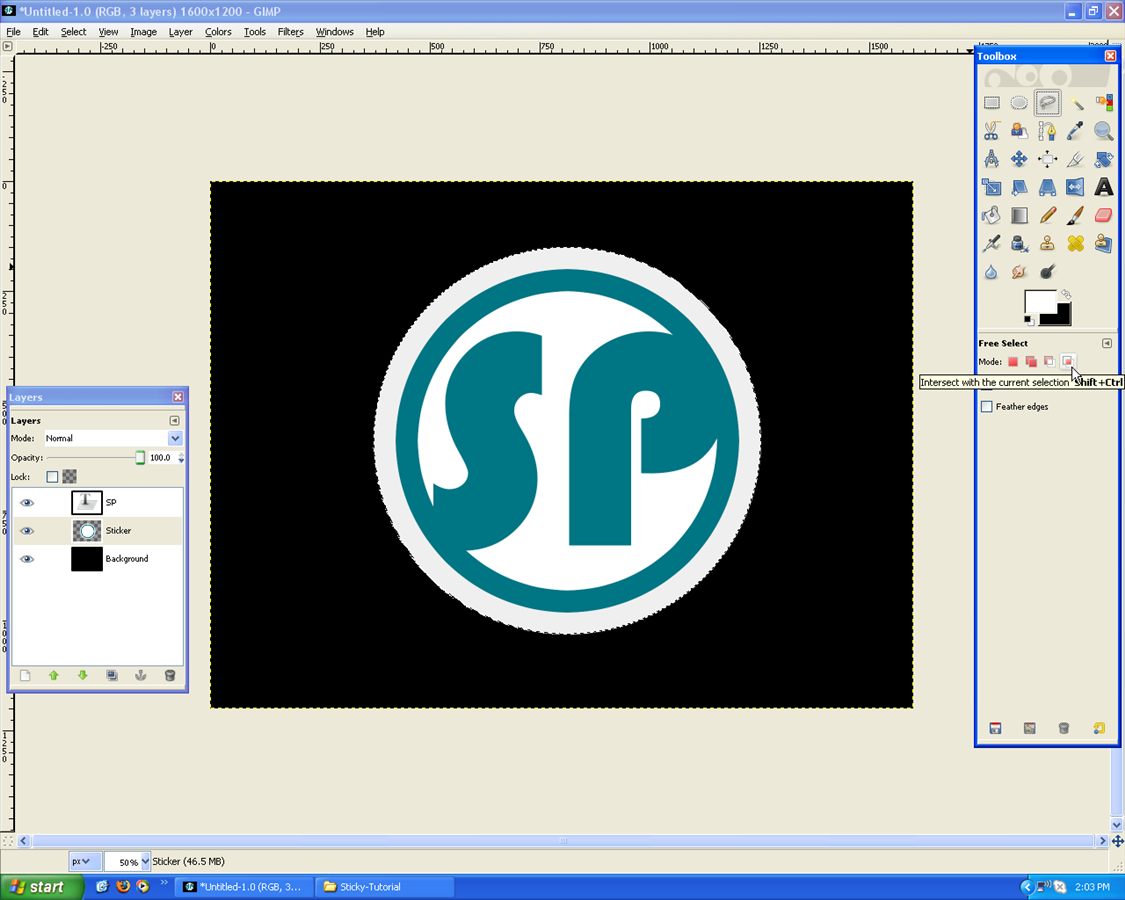
Draw what is below or similar:
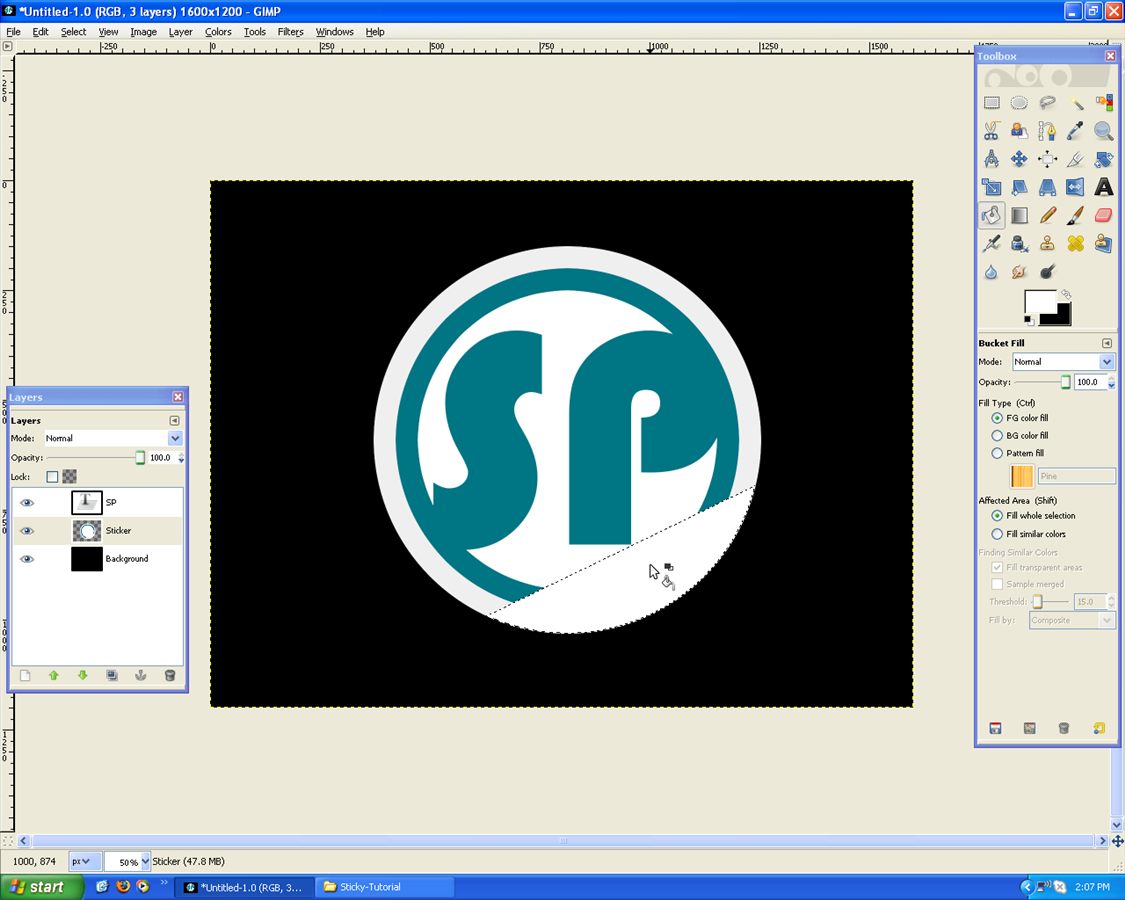
Fill the Selection White/Gray:
Use the Rotate Tool and rotate it 180 degrees:
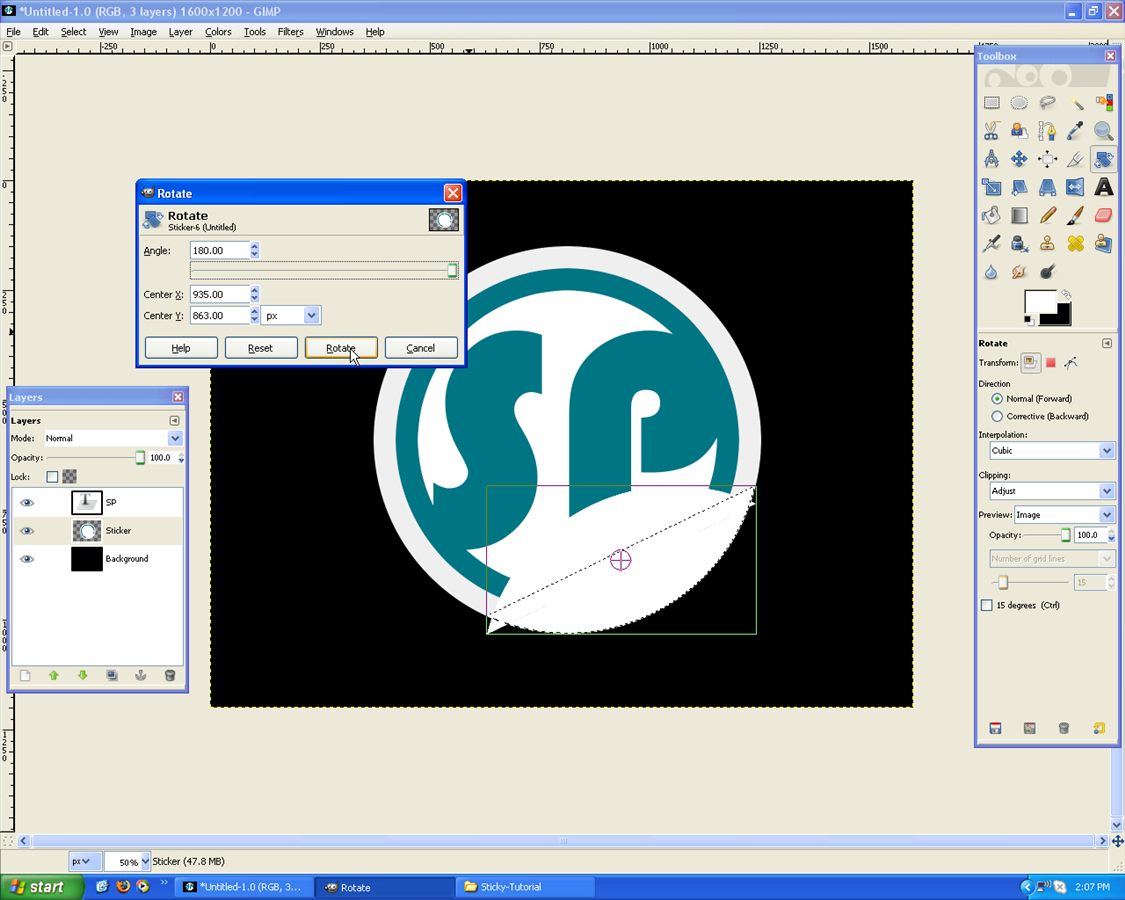
Using the “Move Tool” position it like below, along side the cut edge:
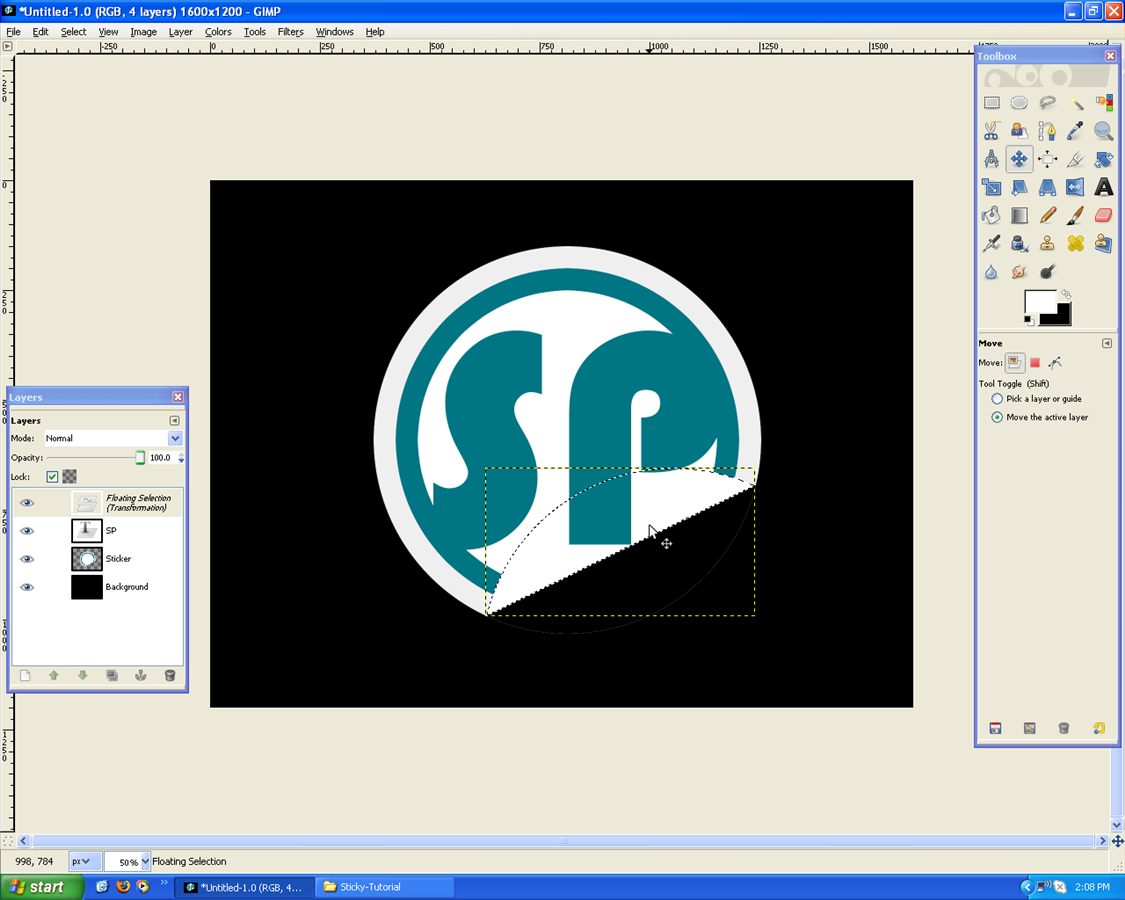
There may be some “left-overs”, just delete that with the “Free Select Tool”:
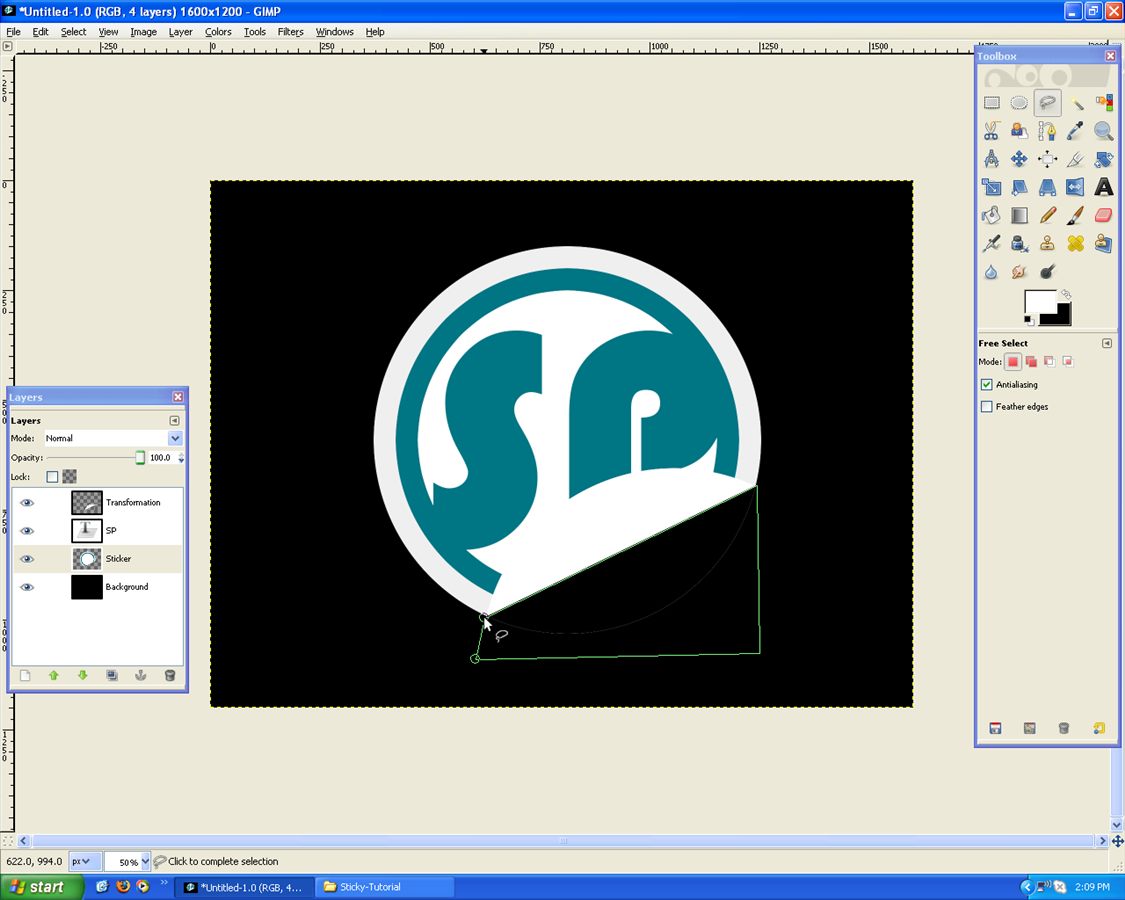
Like Below:
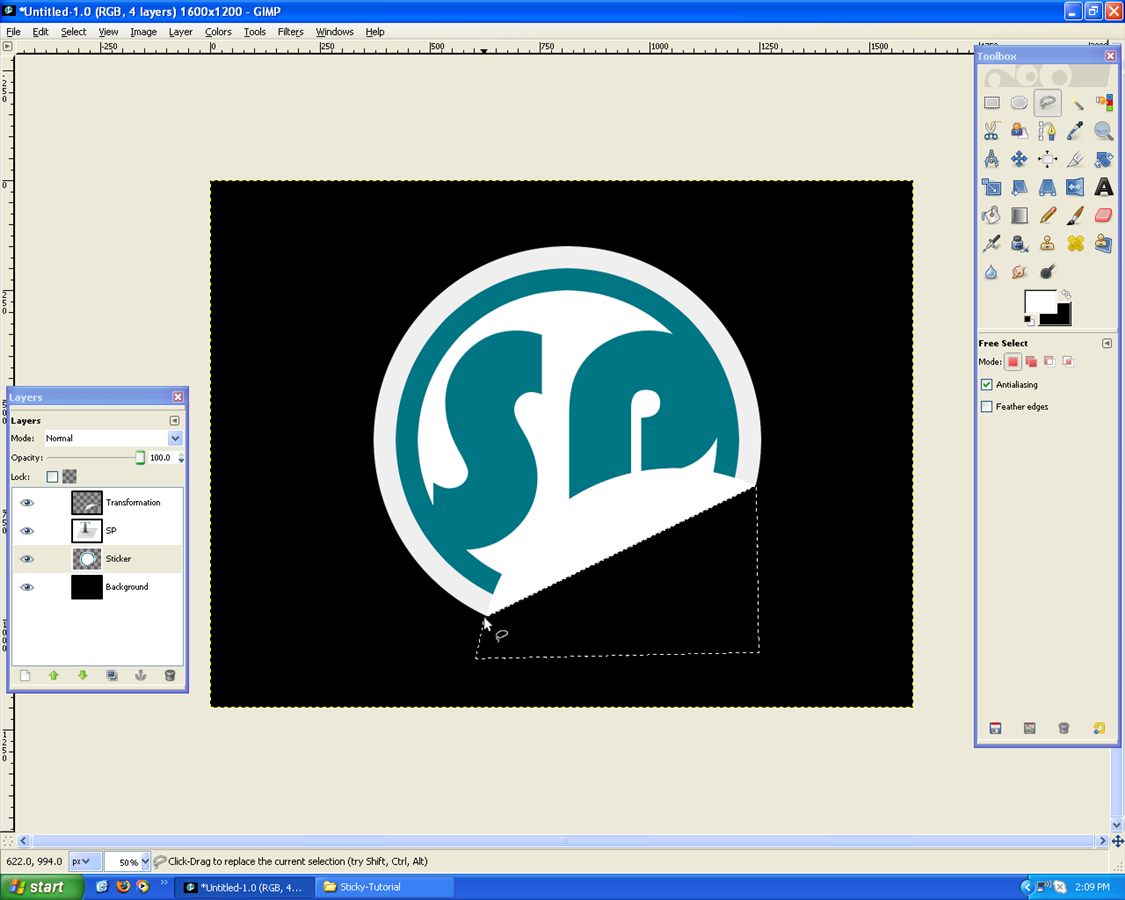
Now on the “Transformation” Layer go, Layer –> Transparency –> Alpha to Selection:
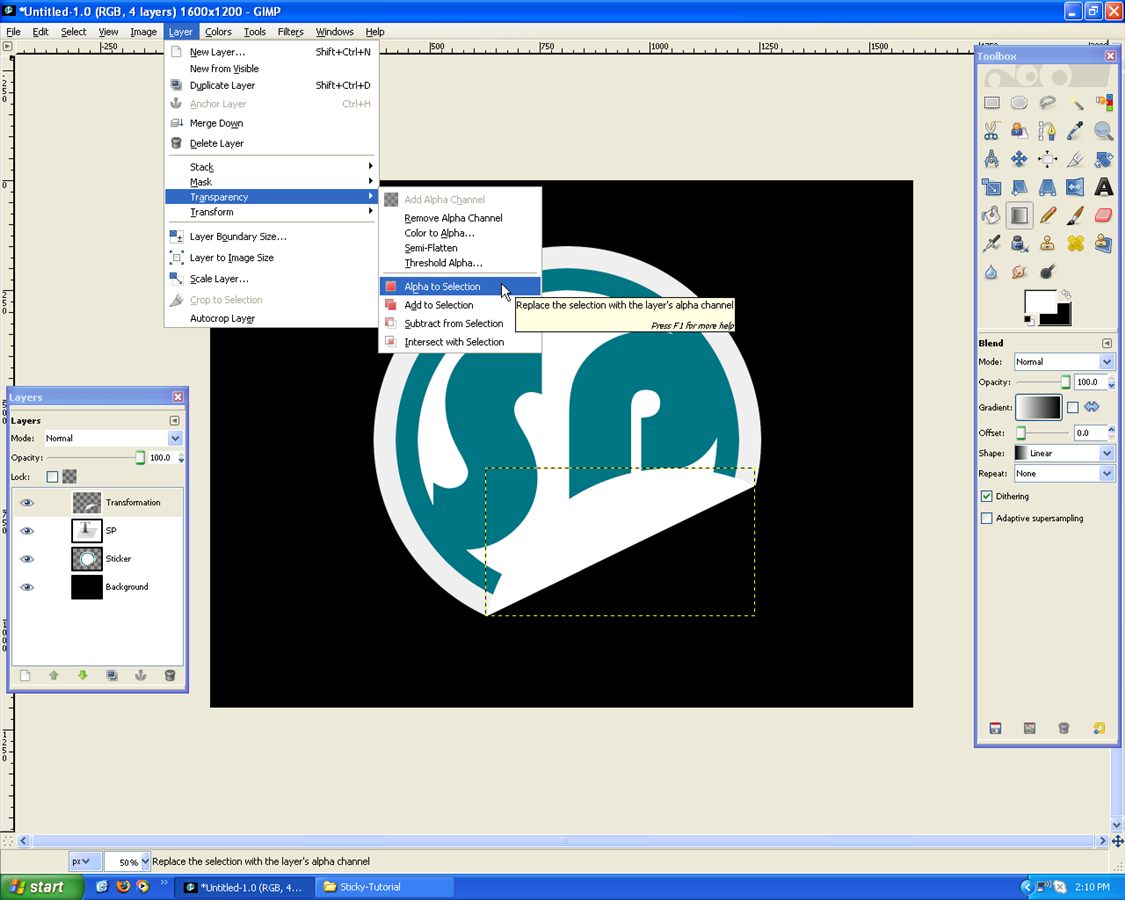
Use the “Gradient Tool”, with settings: FG only: Black (May have to Flip direction), Opacity: ~75%. Apply the Gradient as shown below:
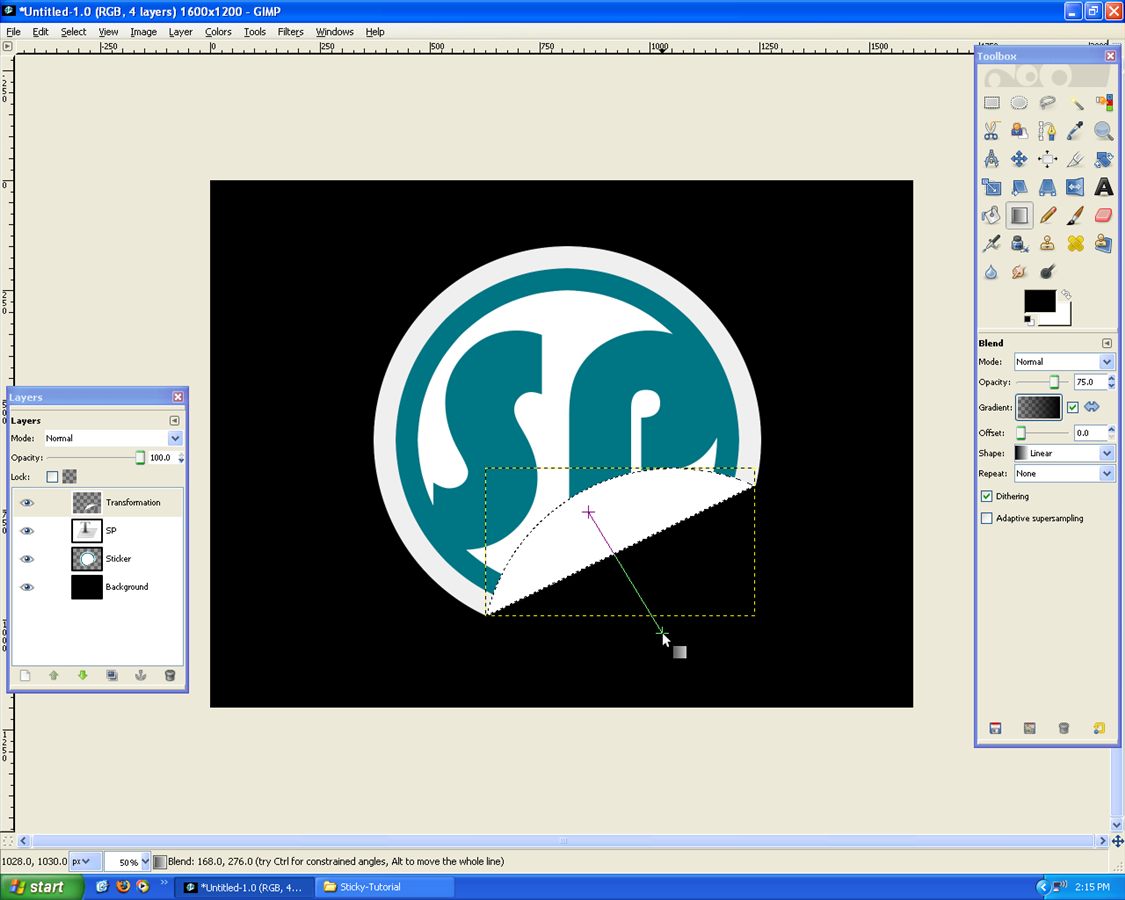
Now go, Filters –> Light and Shadow –> Drop Shadow:
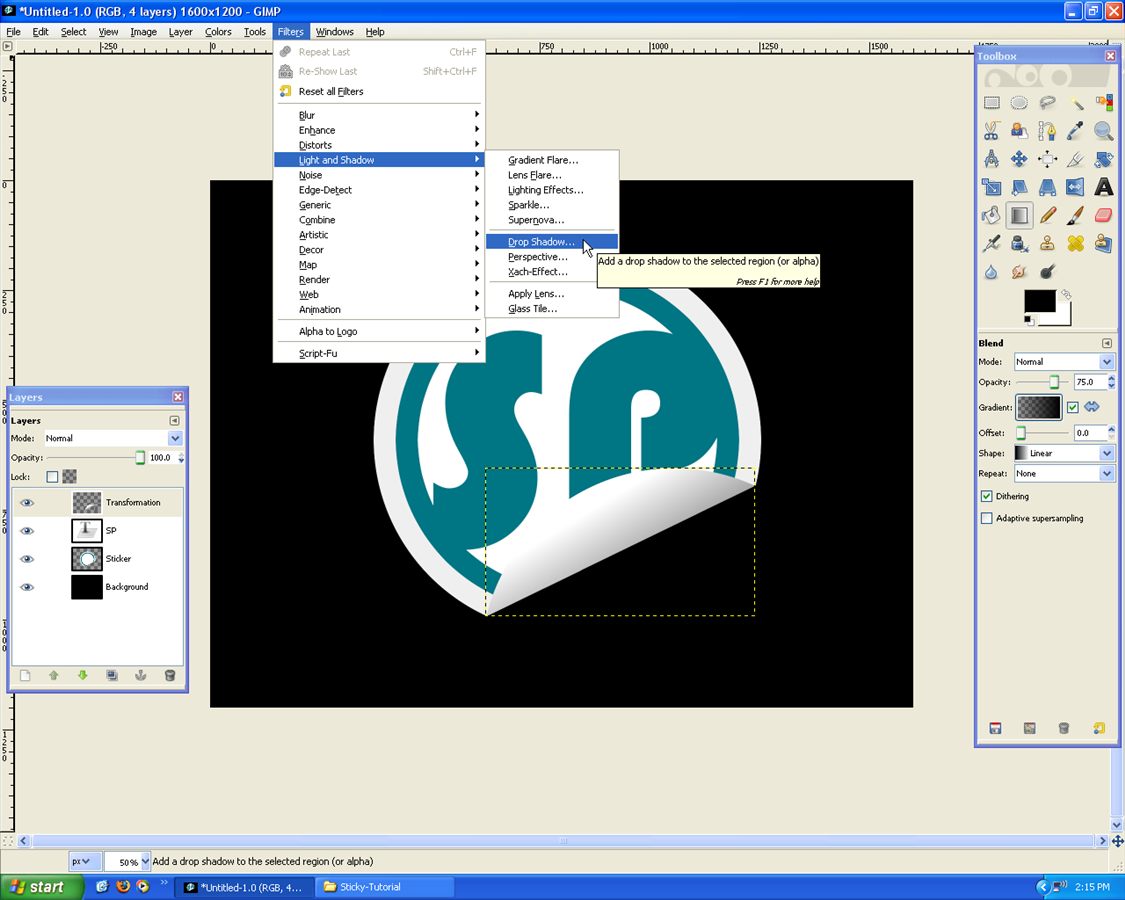
Use the following settings: -6, 15, 42, Black, 90%
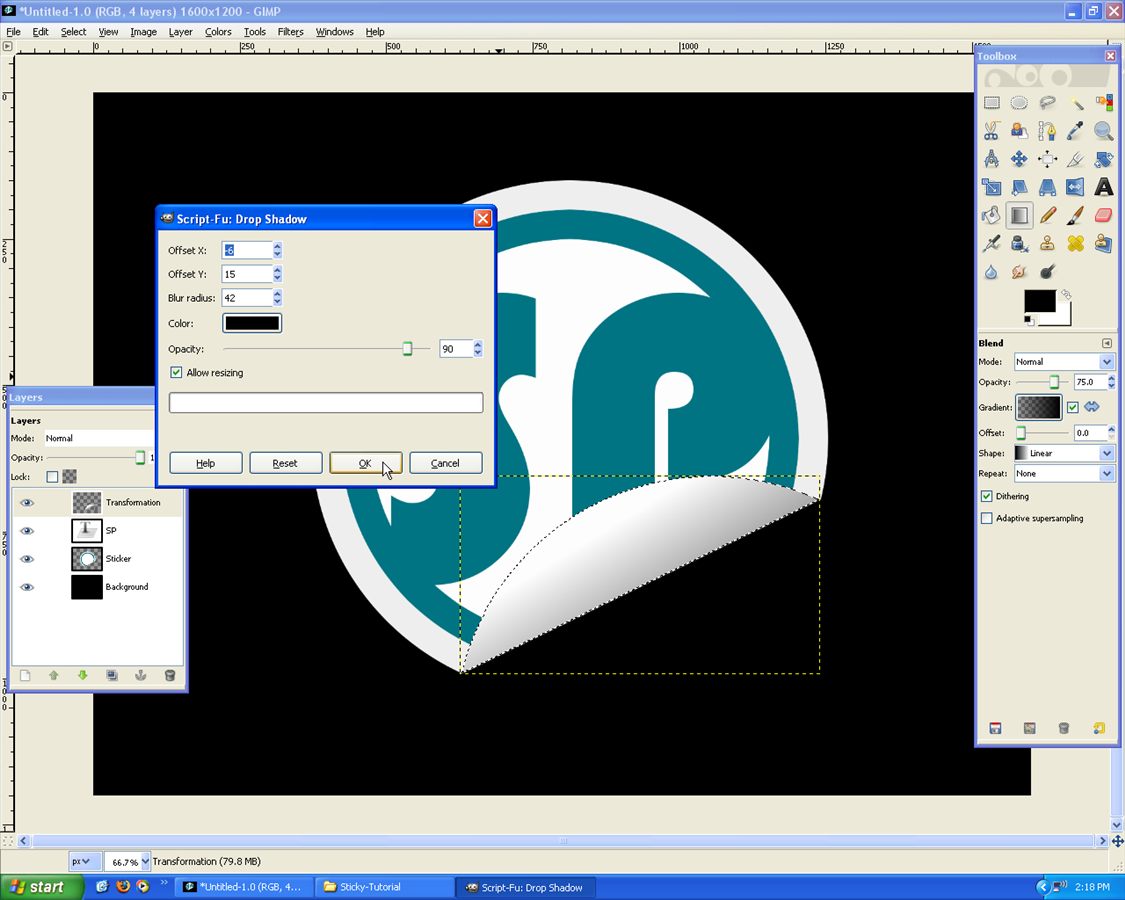
You should now have a shadow, that makes it look more realistic:
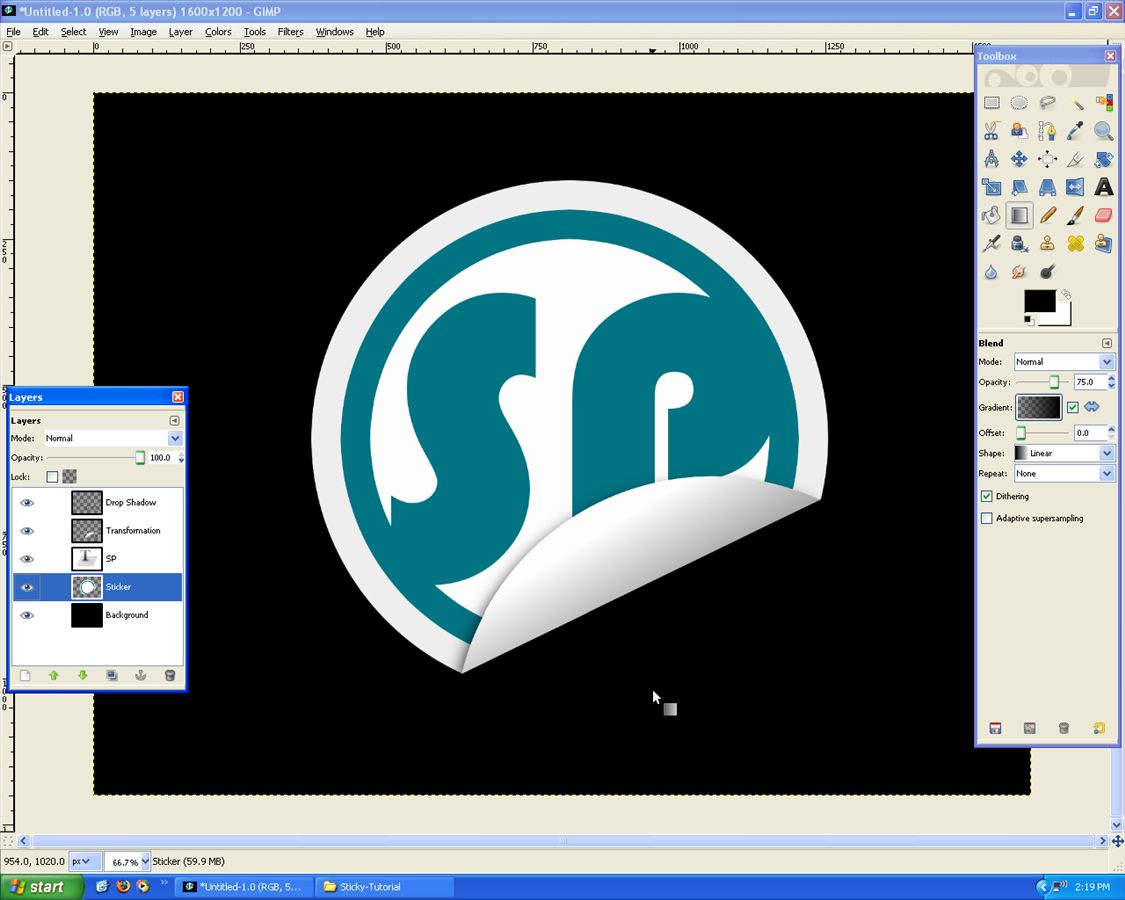
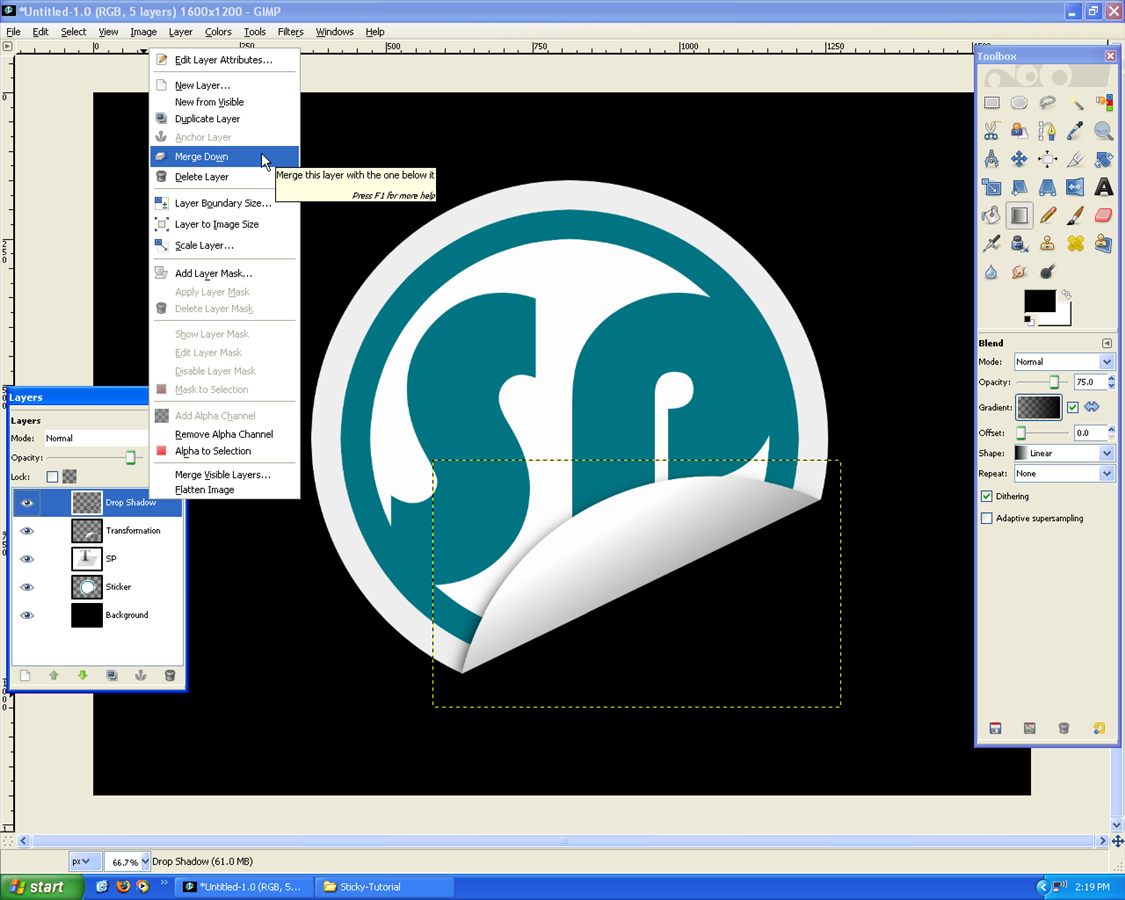
Merge all layers down into “Circle” Layer:
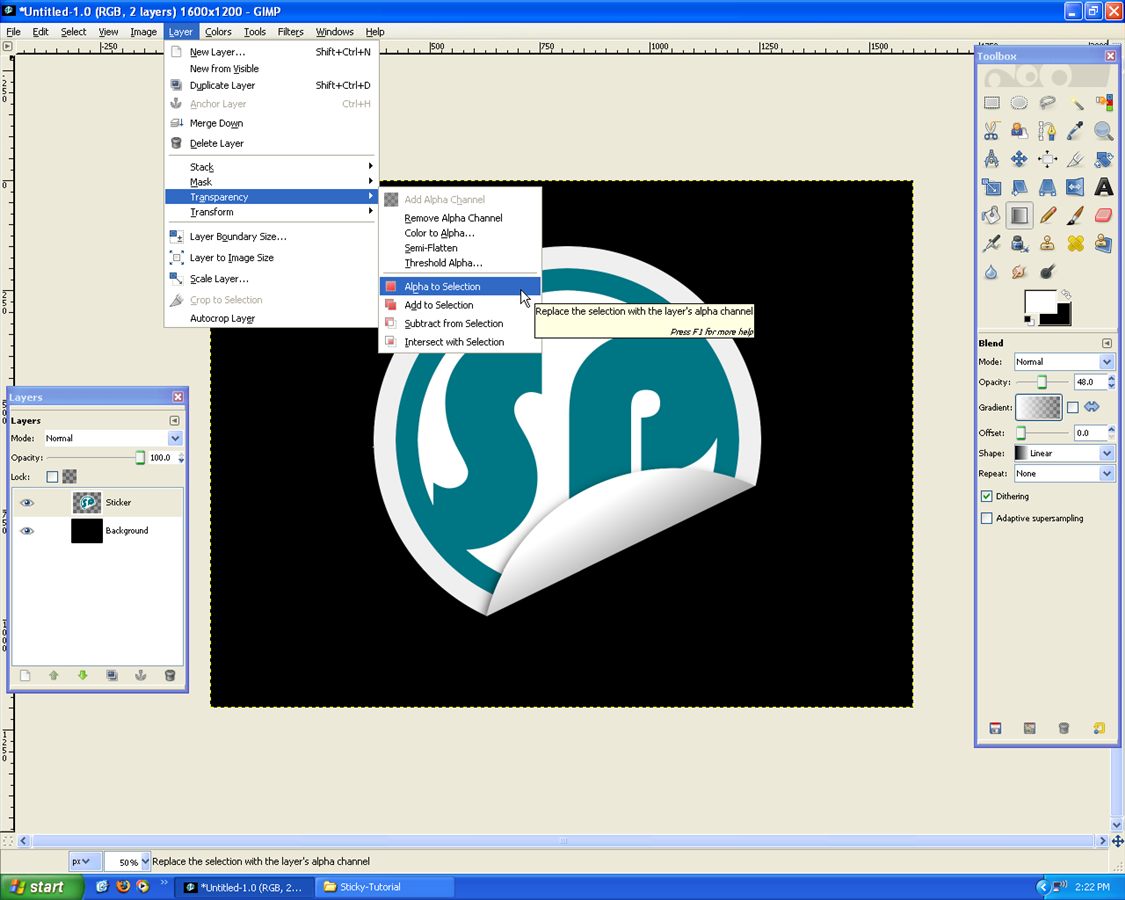
Still on “Circle” Layer go, Layer –> Transparency –> Alpha to Selection:
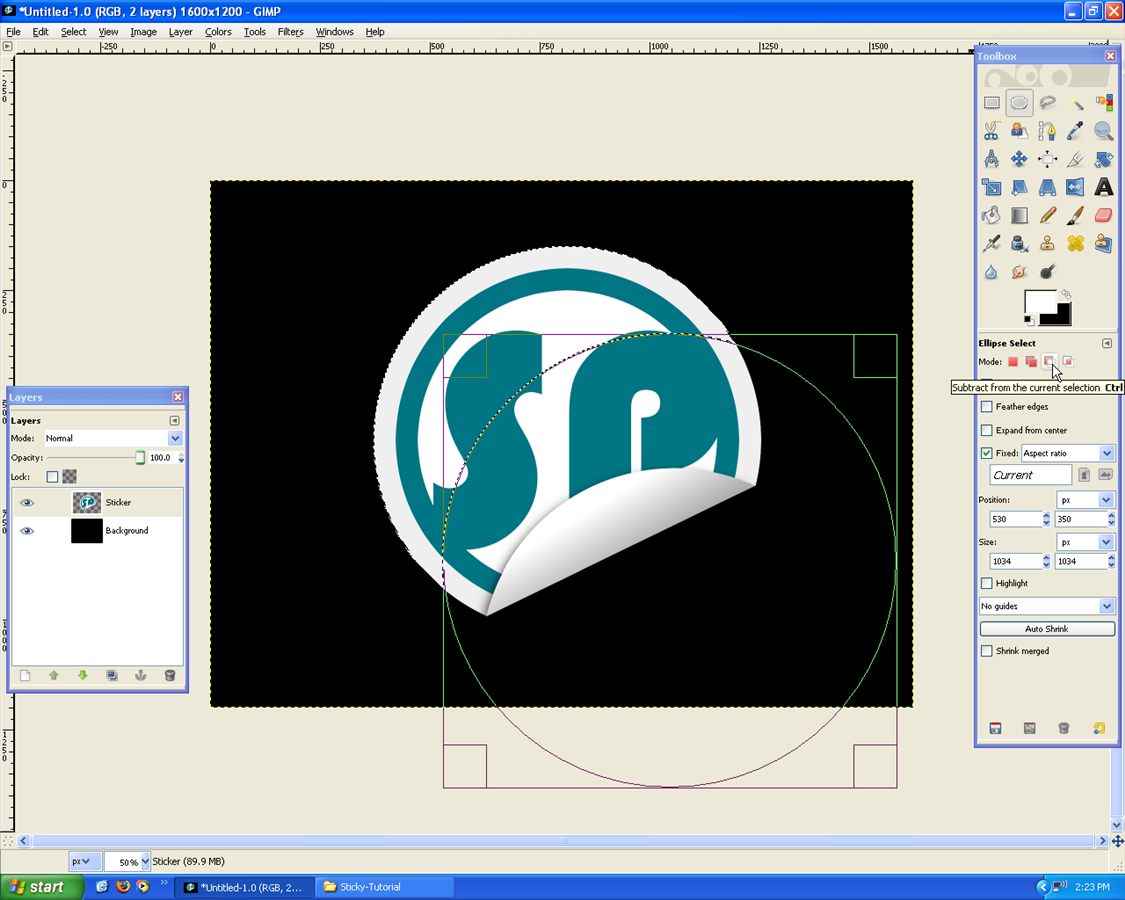
Use the “Eclipse Tool” with “Fixed Ratio” and set to “Subtract”, draw like below:
With that Selection, grab the “Gradient Tool” with settings: FG only: White(Flip if necessary), Opacity: ~48%:
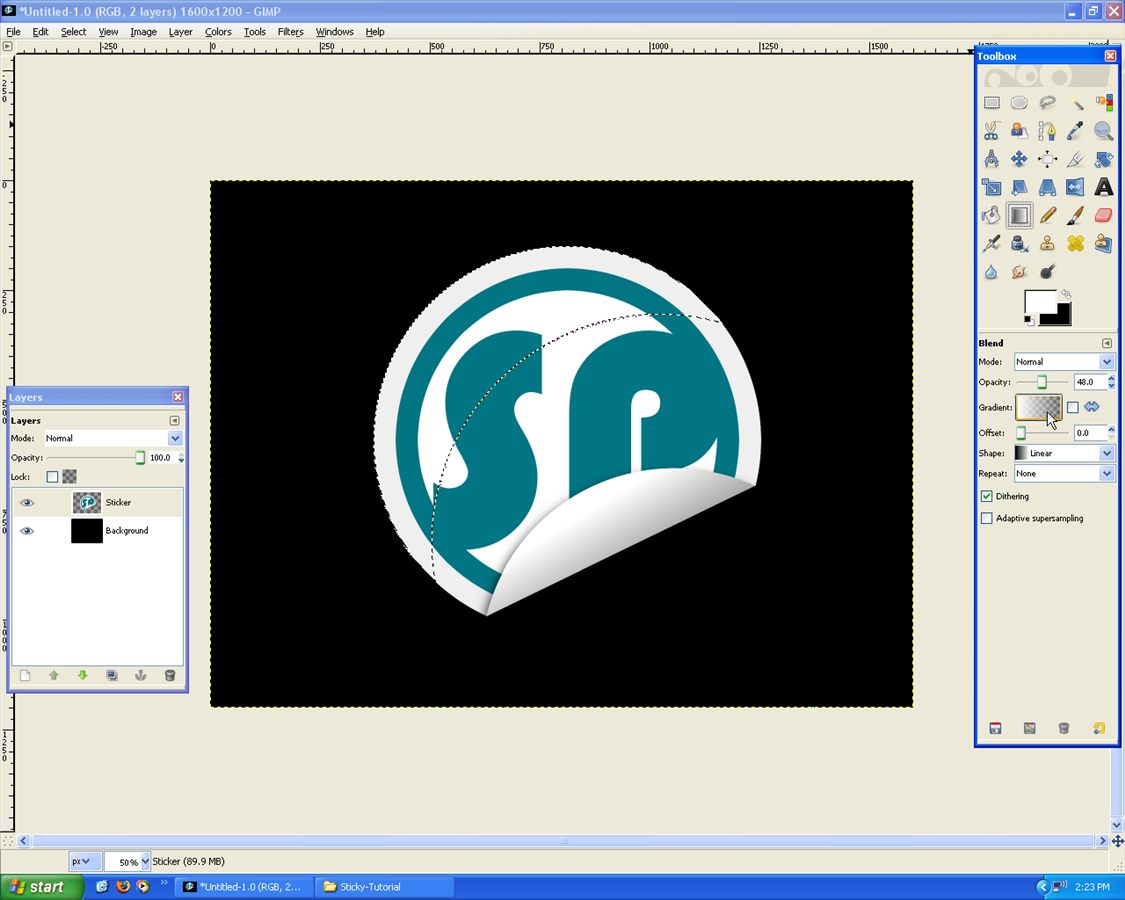
Apply Gradient like below (to zoom out: Ctrl + Mouse Scroll):
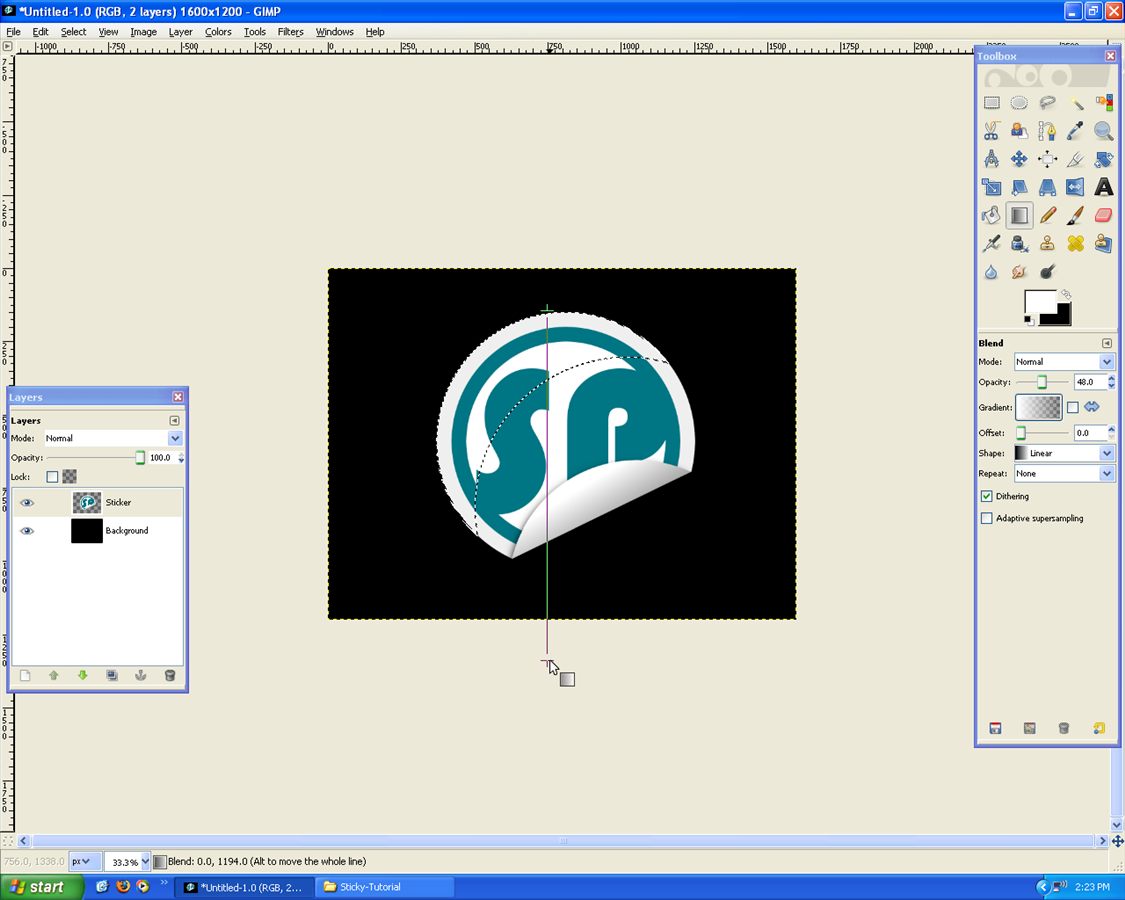
It gives a little bit of depth to the image =), you can do the same for the “Background Layer”!
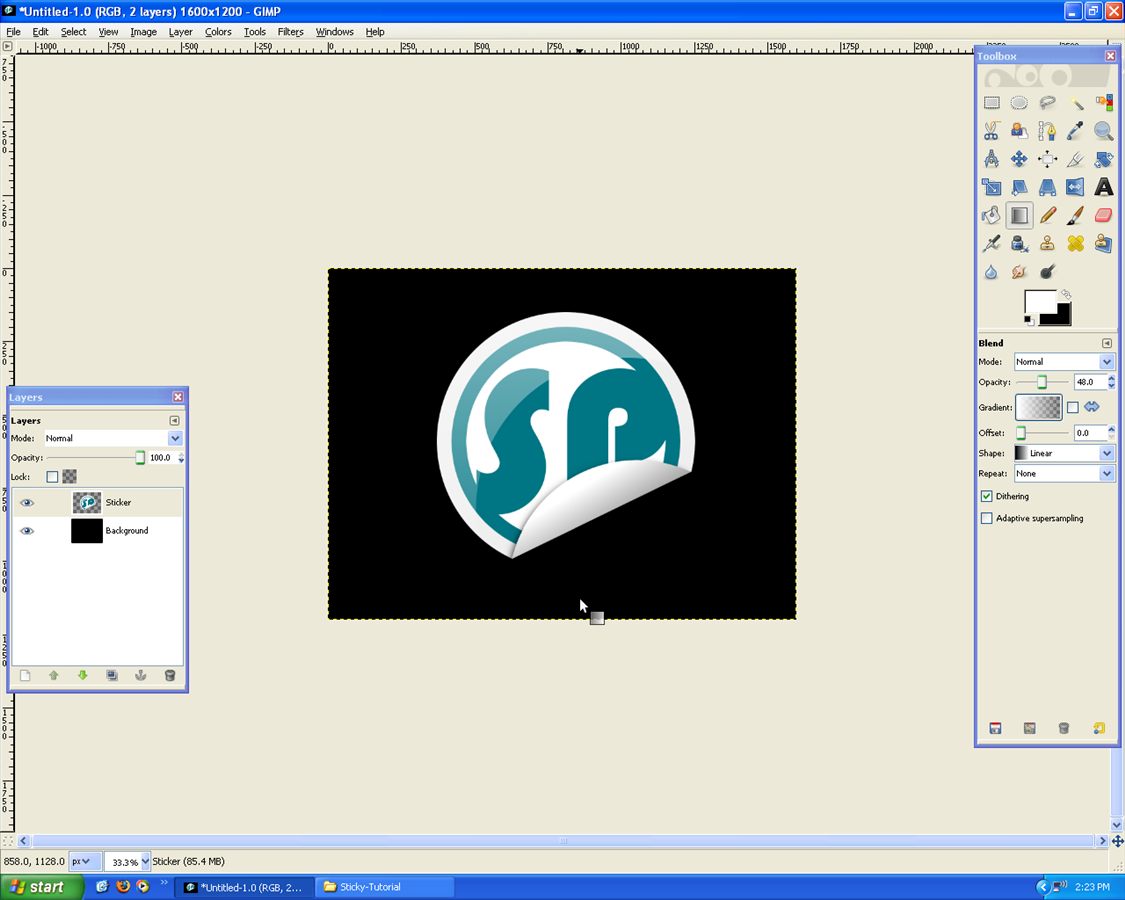
You’re done!

Written by Mike

Deprecated: Function the_author_description is deprecated since version 2.8.0! Use the_author_meta('description') instead. in /home/scottp12/public_html/wp-includes/functions.php on line 6121
Michael Scott is the publisher and photographer behind Scott Photographics! He is very passionate about his photography and enjoys sharing the best of his experiences for others to enjoy too! Contact Mike via email!


Deprecated: Function get_users_of_blog is deprecated since version 3.1.0! Use get_users() instead. in /home/scottp12/public_html/wp-includes/functions.php on line 6121
Thanks!
Deprecated: Function get_users_of_blog is deprecated since version 3.1.0! Use get_users() instead. in /home/scottp12/public_html/wp-includes/functions.php on line 6121
Youre a master, thanks a lot, a great site.
Deprecated: Function get_users_of_blog is deprecated since version 3.1.0! Use get_users() instead. in /home/scottp12/public_html/wp-includes/functions.php on line 6121
Looking Good!